Identity Lifecycle & RBAC in Entra ID
First control of the IAM chokepoint: identity lifecycle + RBAC in Entra ID.
I provisioned users (portal + PowerShell), assigned directory roles with least-privilege intent, structured groups,
and enforced licensing at scale. Identity defines who exists, what they can touch, and where they can move.
Zero Trust starts here.
Overview (My POV)
This lab established identity as the root of trust. I provisioned users, mapped least-privilege admin roles,
organized access via security groups, and applied licensing at scale. The goal wasn’t “click next”; it was
to own the gate and make identity the enforcement point of the environment.
Highlights
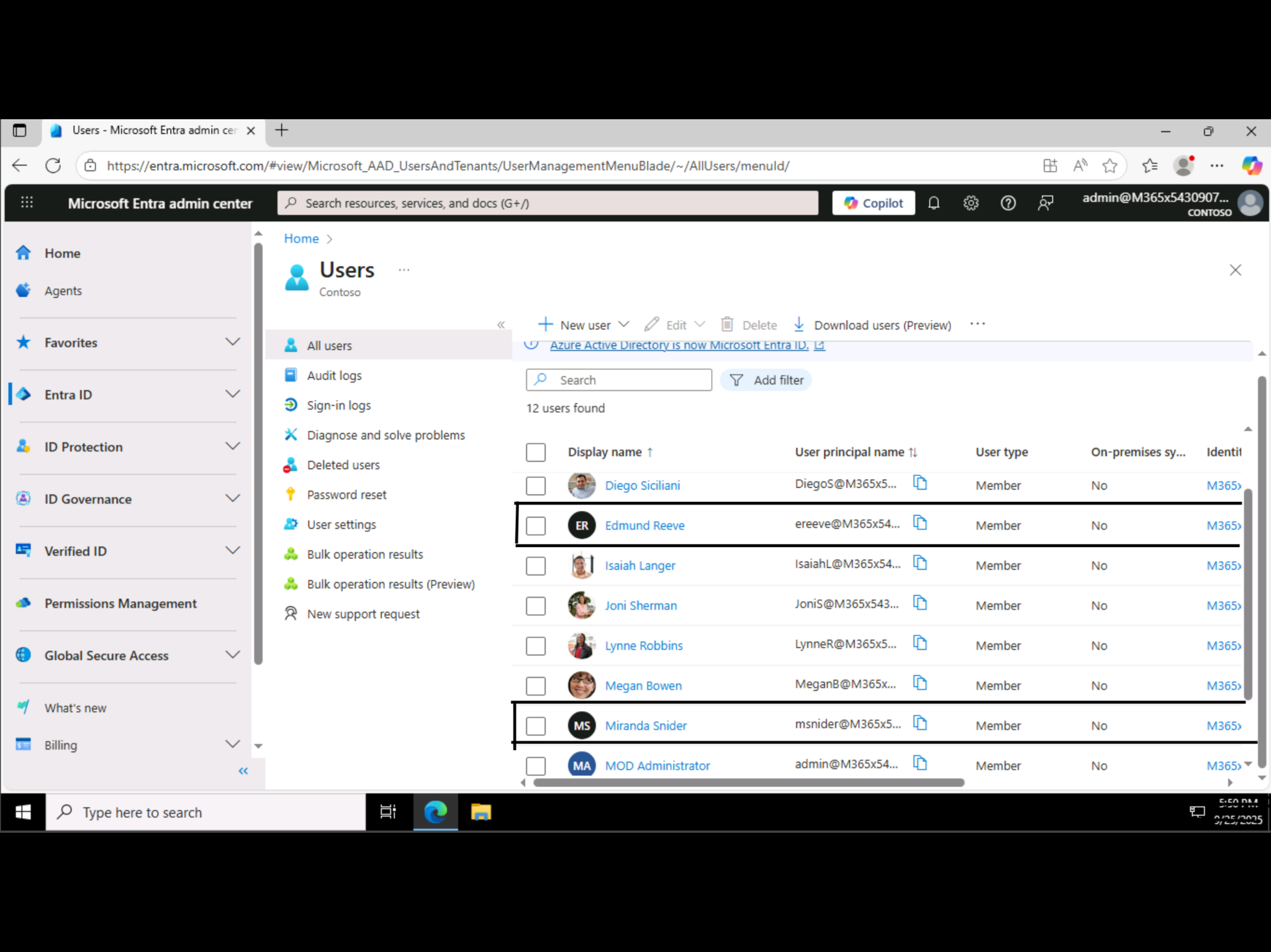
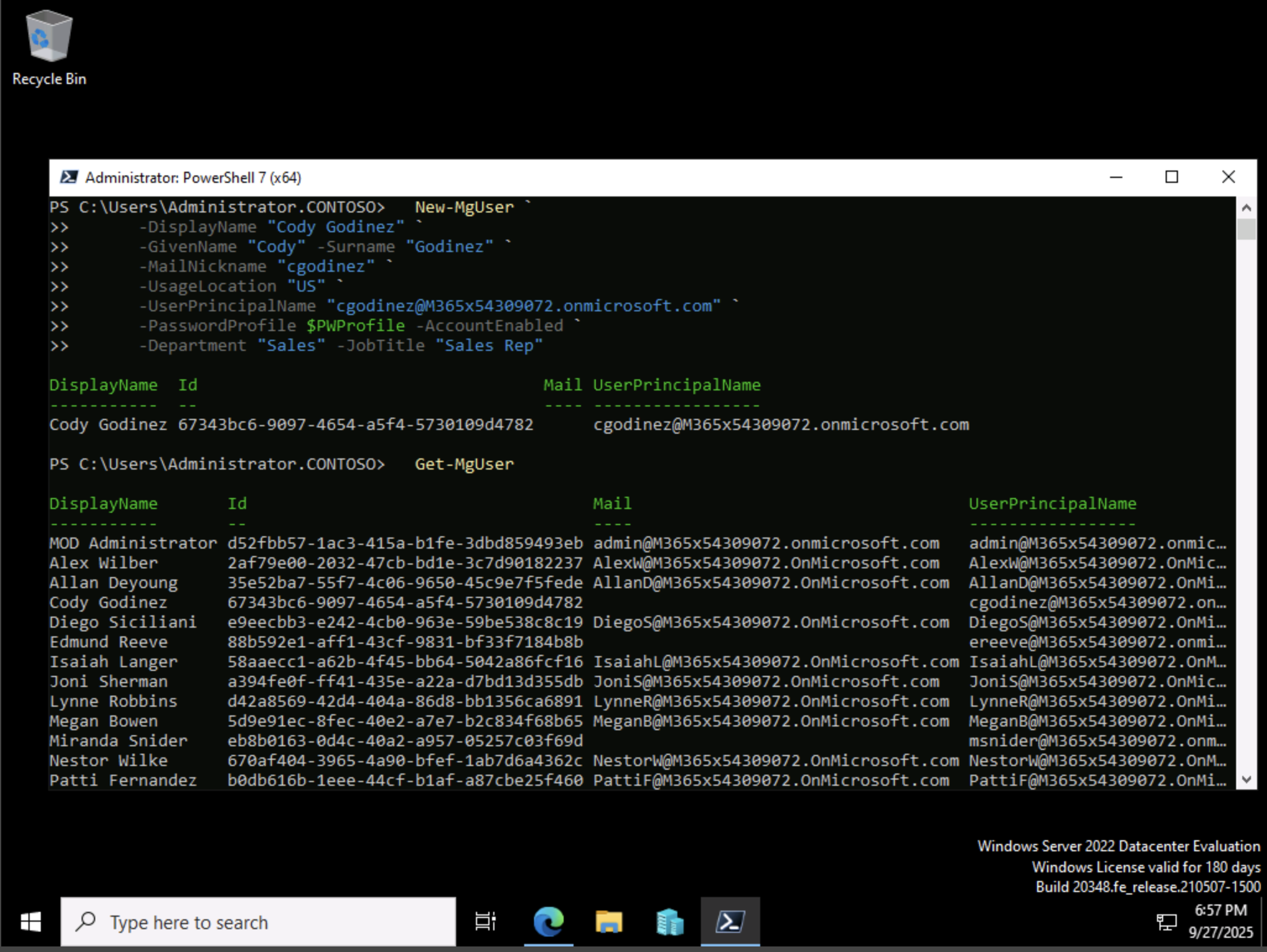
- Provisioned users in Entra ID (portal) and via PowerShell (Microsoft Graph).
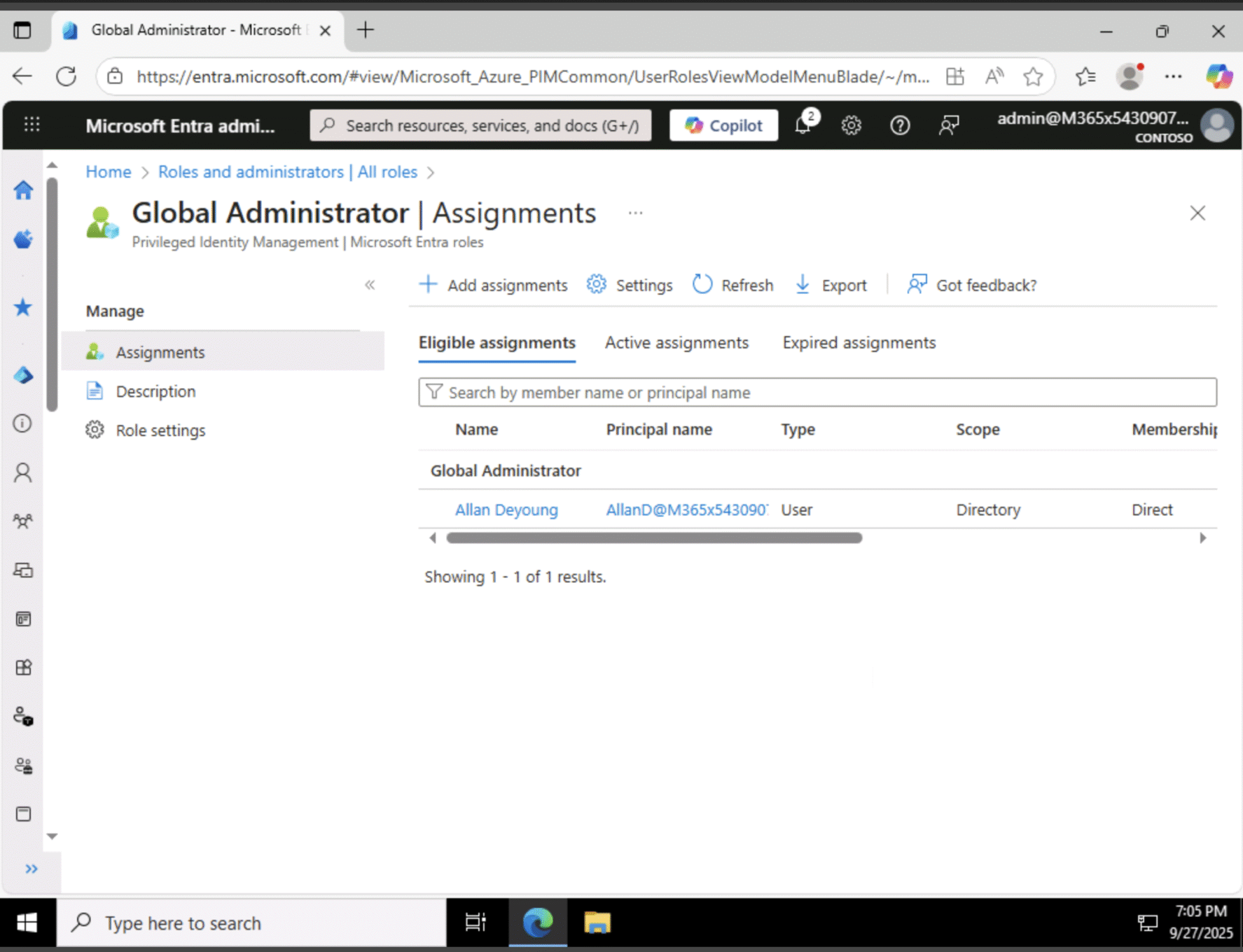
- Assigned least-privilege admin roles (Global, User, Helpdesk Admin) with PIM awareness.
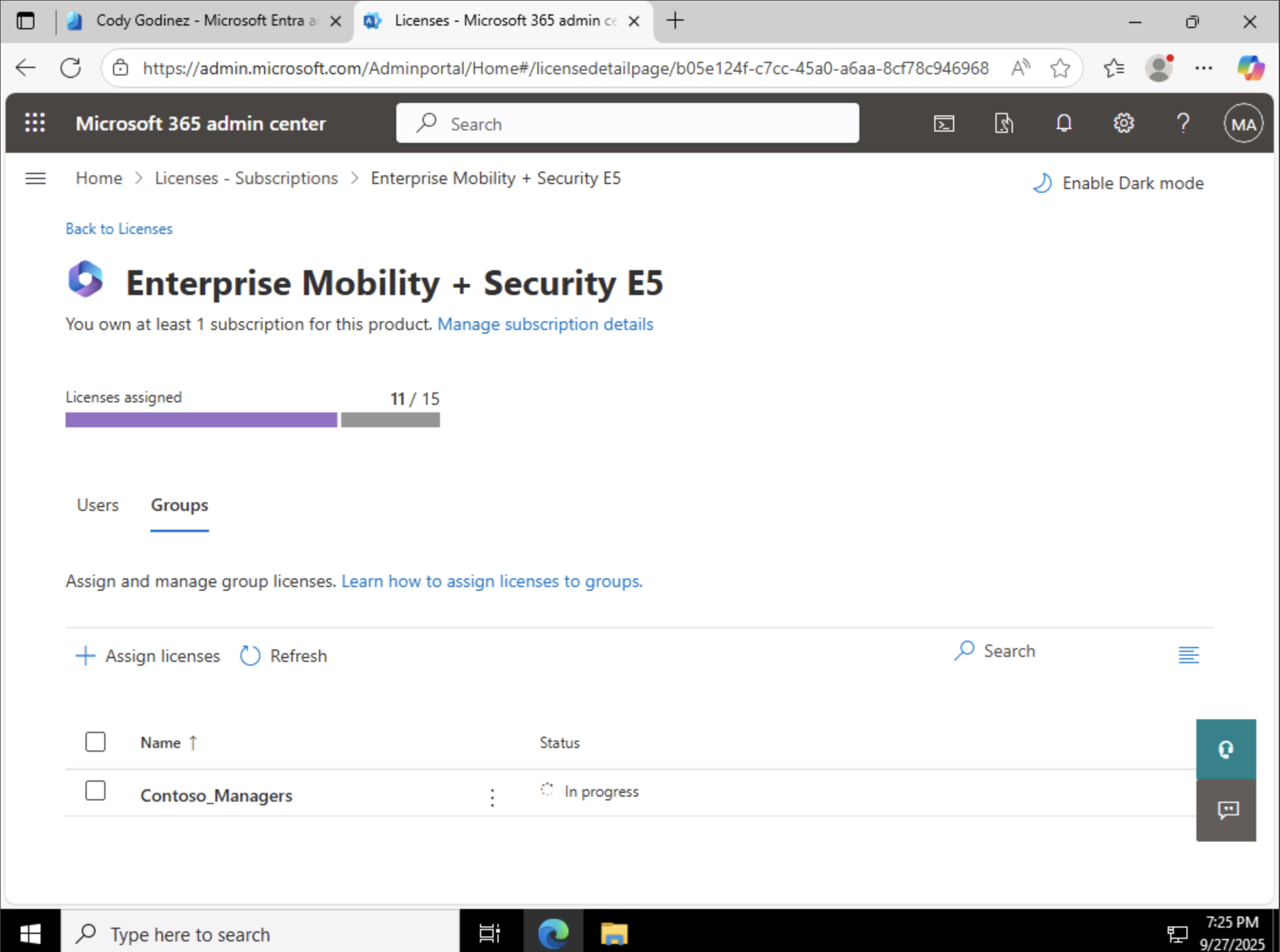
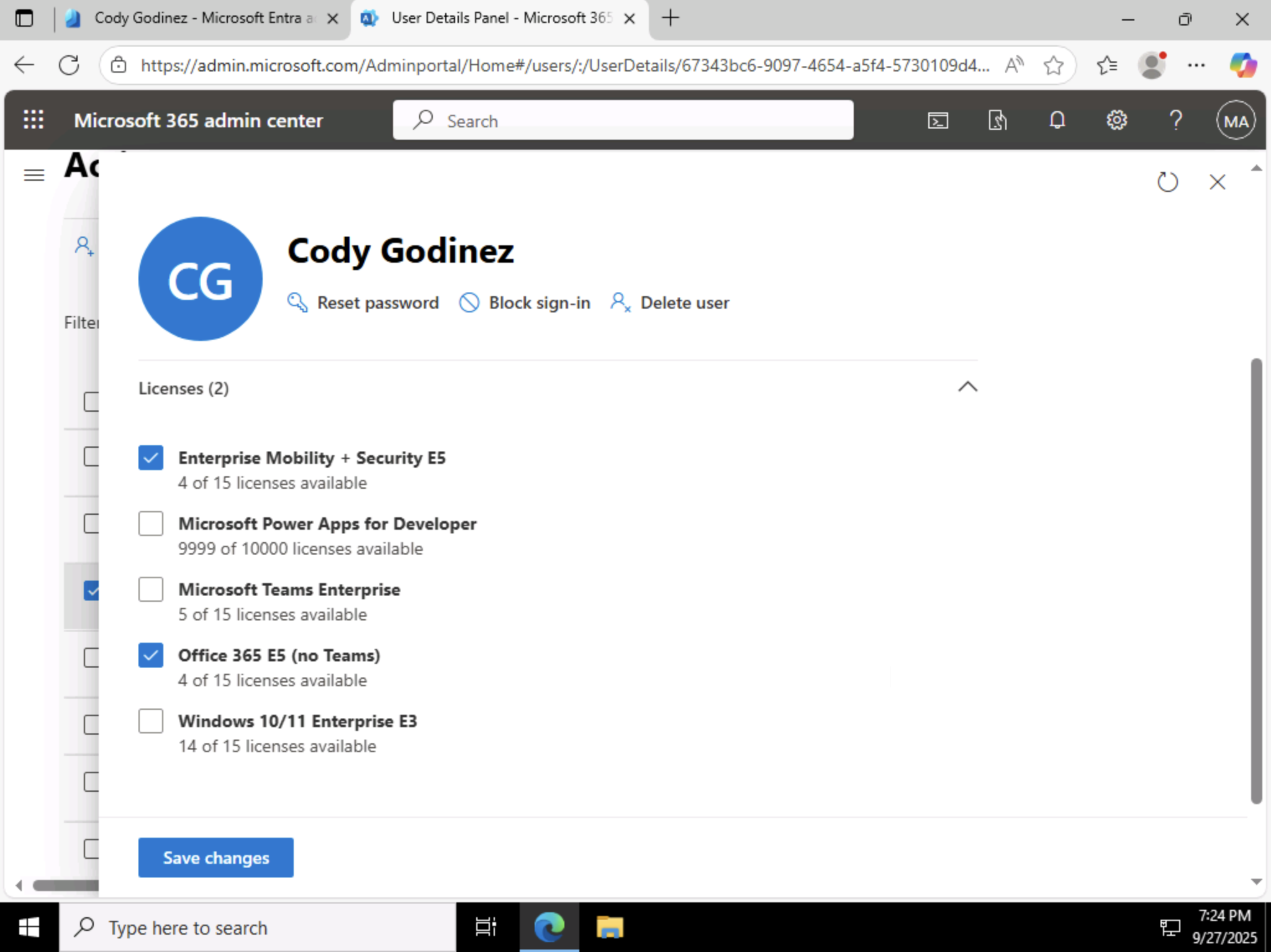
- Created security groups and used group-based licensing (O365 E5 + EMS E5).
- Applied direct licensing where appropriate (Sales user).
- Customized sign-in company branding for clarity and trust.
IAM = Chokepoint
If I own identity, I own entry. IAM decides who exists, maps what they can touch, and constrains how they move.
Everything else in the enterprise routes through this gate.
- Users: authoritative source of “who”.
- Roles: scoped admin capability (least-privilege).
- Groups: scalable policy & license application.
- Licenses: access to services/features bound to identity.
Tie to Zero Trust
Zero Trust isn’t a product — it’s a rule: never trust, always verify. This lab enforces the first verification layer:
identity must be validated before any access is granted, and privileges are minimized by design.
- Authenticate every user, every time.
- Authorize with least-privilege roles.
- Audit via groups & licenses for consistent policy.
Automation Snippet (Microsoft Graph PowerShell)
Portal + Script = proof. Here’s the user creation I validated in Cody’s account:
Install-Module Microsoft.Graph -Scope CurrentUser
Connect-MgGraph -Scopes "User.ReadWrite.All, Group.ReadWrite.All"

$PWProfile = @{
  Password = "REDACTED-STRONG-PASSWORD";
  ForceChangePasswordNextSignIn = $false
}

New-MgUser `
  -DisplayName "Cody Godinez" `
  -GivenName "Cody" -Surname "Godinez" `
  -MailNickname "cgodinez" `
  -UsageLocation "US" `
  -UserPrincipalName "cgodinez@YOUR_TENANT.onmicrosoft.com" `
  -PasswordProfile $PWProfile -AccountEnabled `
  -Department "Sales" -JobTitle "Sales Rep"
Proof Gallery
Result
- Users provisioned and validated (portal + automation).
- Admin roles mapped with least-privilege intent.
- Groups structured for scalable access + licensing.
- Licenses applied via group (managers) and direct (sales).
Why This Makes Me Valuable
Most admins can reset passwords. I design identity as a control plane. By making IAM the chokepoint,
I reduce blast radius, speed onboarding, and align access with Zero Trust from day one.