Build a VPC & Launch a Public Web Server (AWS)
Took the first networking step toward Zero Trust in AWS: I built a custom VPC, carved it into public/private
subnets across two AZs, wired route tables, attached an Internet + NAT Gateway, then dropped a hardened EC2
instance behind a security group and exposed it only over HTTP.
Overview (My POV)
This lab wasn’t “click launch EC2.” I designed the network boundary first: a VPC with public and private
subnets in two AZs, separate route tables for each, an Internet Gateway for public exposure, and a NAT
Gateway so private resources can talk out without being directly reachable. Only then did I drop a Linux
web server into a public subnet and make it reachable over HTTP.
Highlights
- Created a dedicated VPC (10.0.0.0/16) with DNS resolution/hostnames enabled.
- Defined public + private subnets in two AZs (10.0.0.0/24, 10.0.1.0/24, 10.0.2.0/24, 10.0.3.0/24).
- Configured route tables: public via Internet Gateway, private via NAT Gateway.
- Built a Web Security Group that only permits HTTP from the internet.
- Launched an EC2 instance into a public subnet and bootstrapped it as a web server via user data.
What I Actually Built
One VPC, two AZs, four subnets, two route tables, an Internet Gateway, a NAT Gateway, and a single EC2 web
server fronted by a security group.
- VPC:
lab-vpcwith CIDR10.0.0.0/16. - Public subnets:
10.0.0.0/24(us-east-1a),10.0.2.0/24(us-east-1b). - Private subnets:
10.0.1.0/24(us-east-1a),10.0.3.0/24(us-east-1b). - Route tables:
lab-rtb-public→0.0.0.0/0 → Internet Gatewaylab-rtb-private1-us-east-1a→0.0.0.0/0 → NAT Gateway- Security group: “Web Security Group” with inbound HTTP from Anywhere-IPv4.
Zero Trust Network Thinking
Identity is one chokepoint (IAM). Network is another. In this lab I treated the VPC as a
segmented blast radius:
- Only the public subnets can receive direct internet traffic.
- Private subnets can initiate outbound traffic via NAT, but are never directly exposed.
- The web server is reachable only on TCP 80 via its security group.
- All other ports and paths are implicitly denied.
Bootstrap Script (User Data)
Turning a raw EC2 instance into a web server at launch:
#!/bin/bash
# Install Apache Web Server and PHP
dnf install -y httpd wget php mariadb105-server

# Download lab web app
wget https://aws-tc-largeobjects.s3.us-west-2.amazonaws.com/CUR-TF-100-ACCLFO-2/2-lab2-vpc/s3/lab-app.zip
unzip lab-app.zip -d /var/www/html/

# Turn on web server
chkconfig httpd on
service httpd start
The instance starts as “just a VM.” User data makes it a repeatable web server: install packages, pull
the app, start the service. Same script, same outcome every time.
Proof Gallery
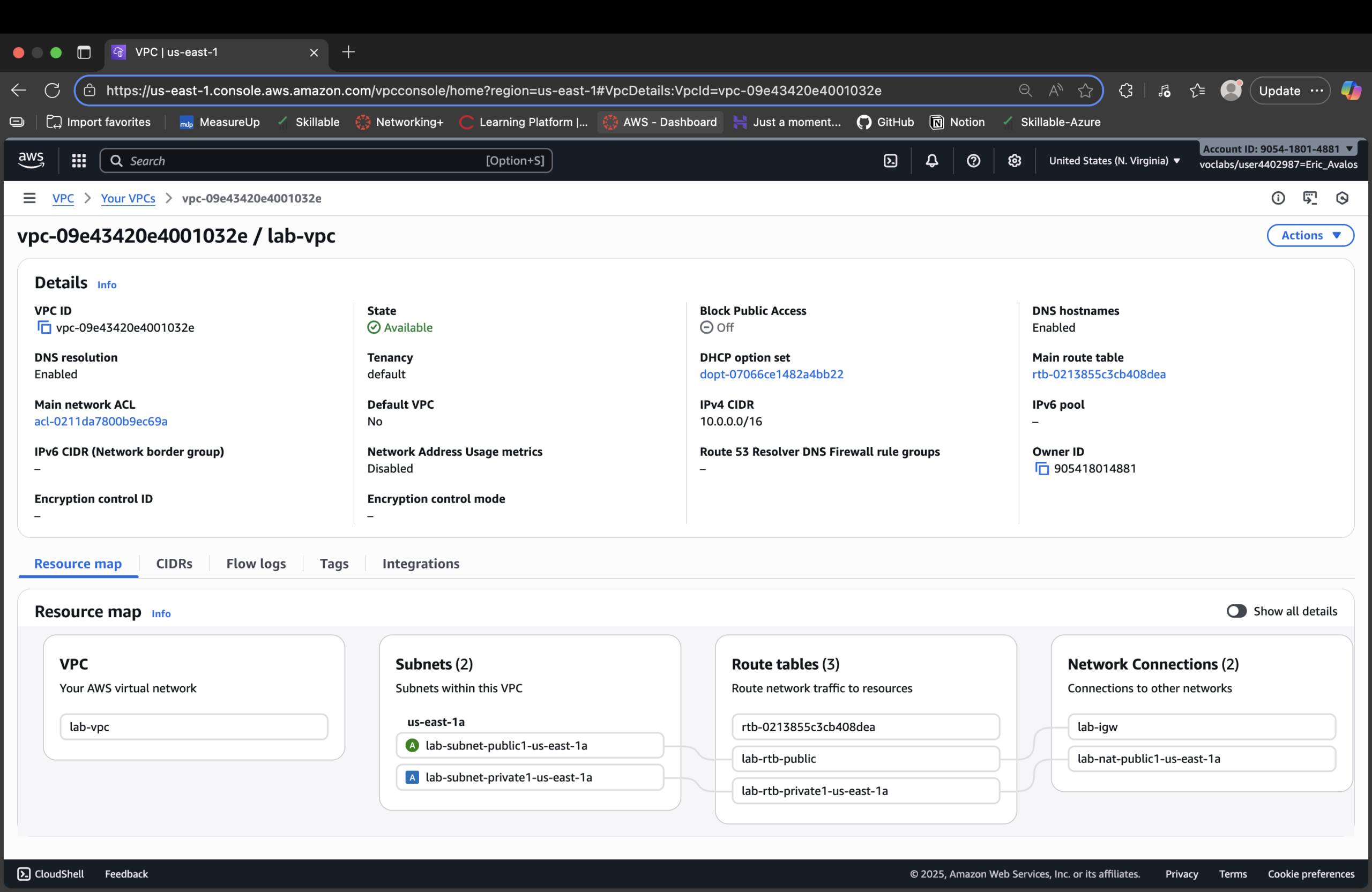
lab-vpc with public and private subnets defined in us-east-1.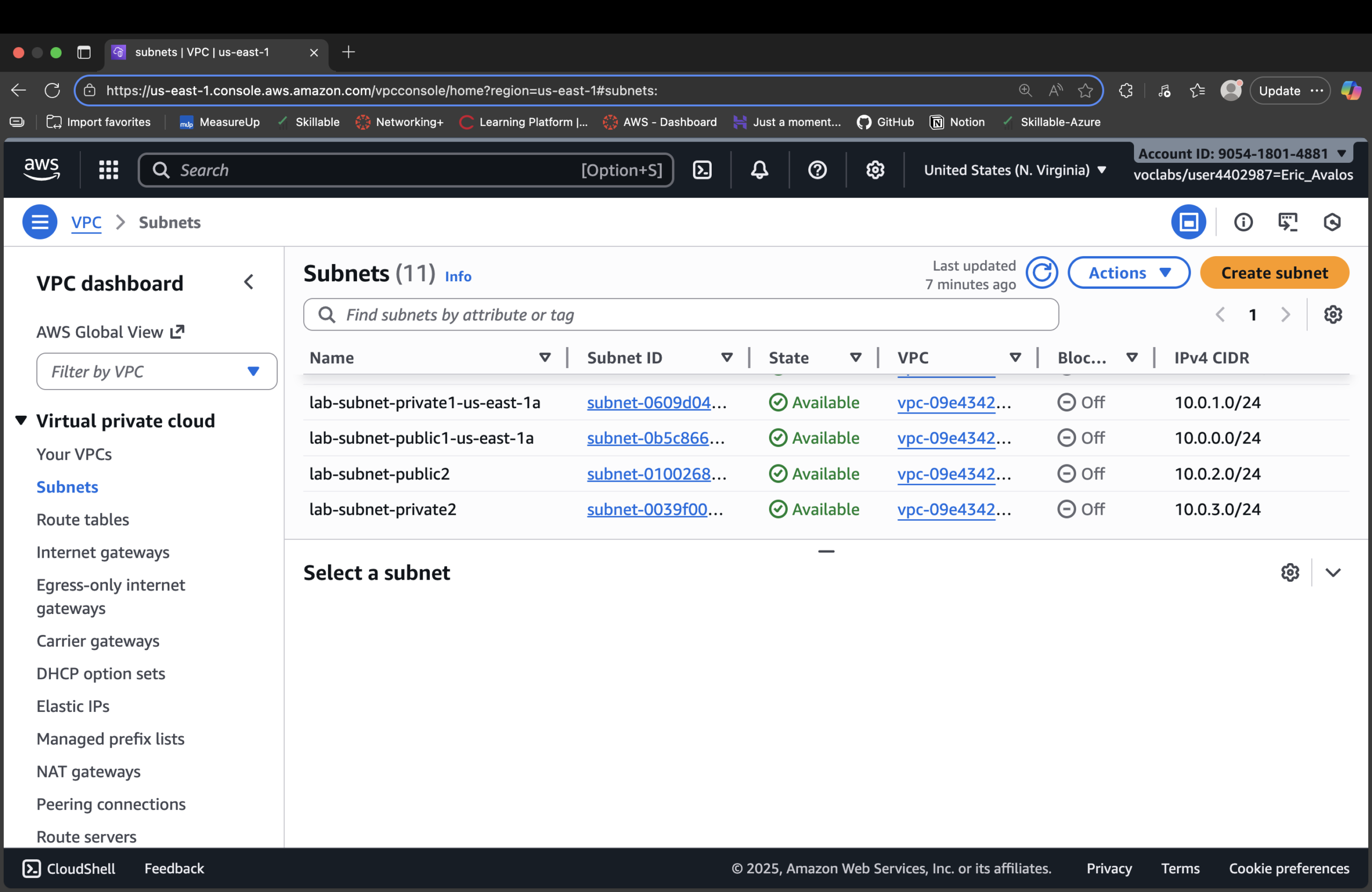
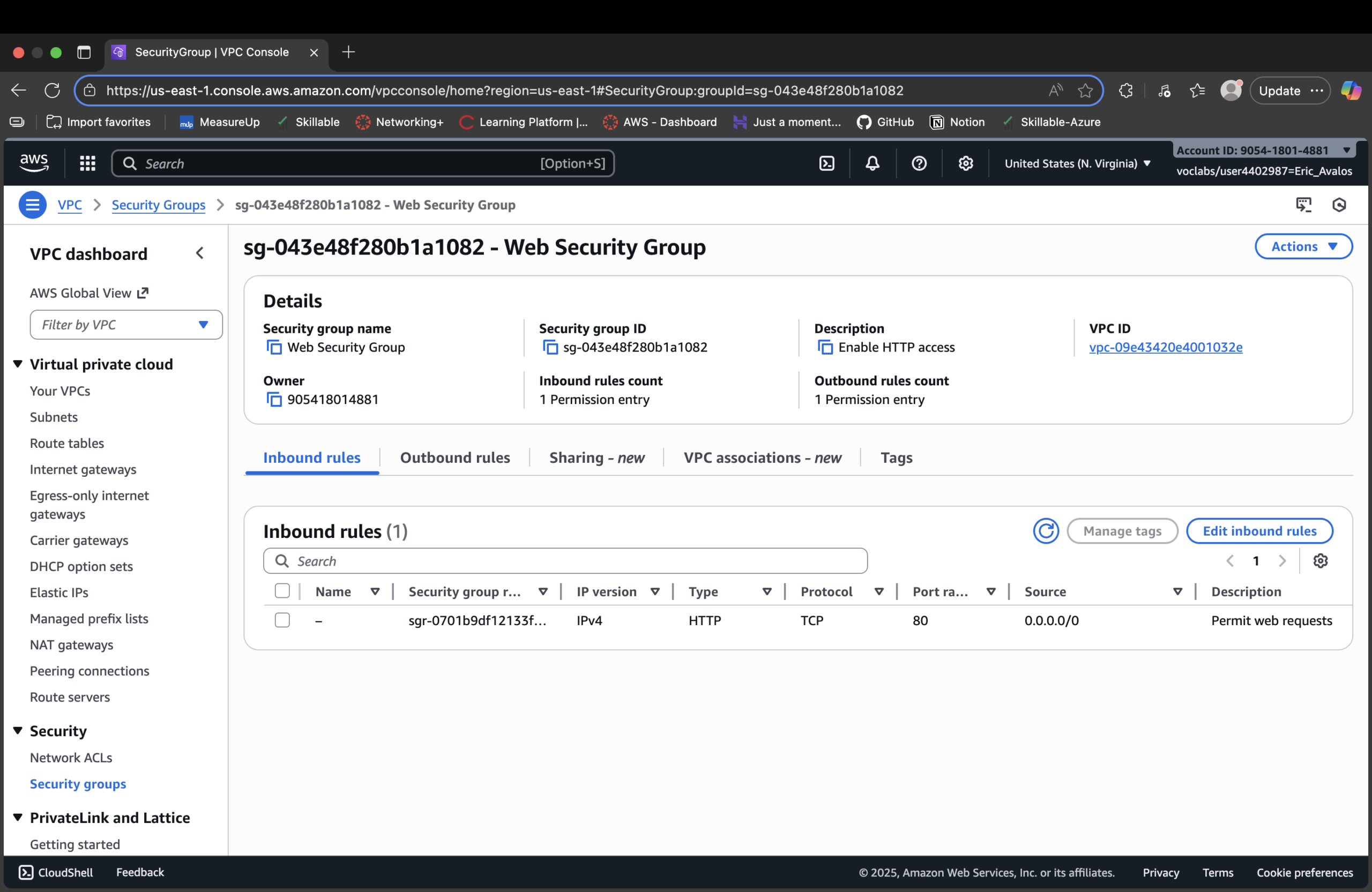
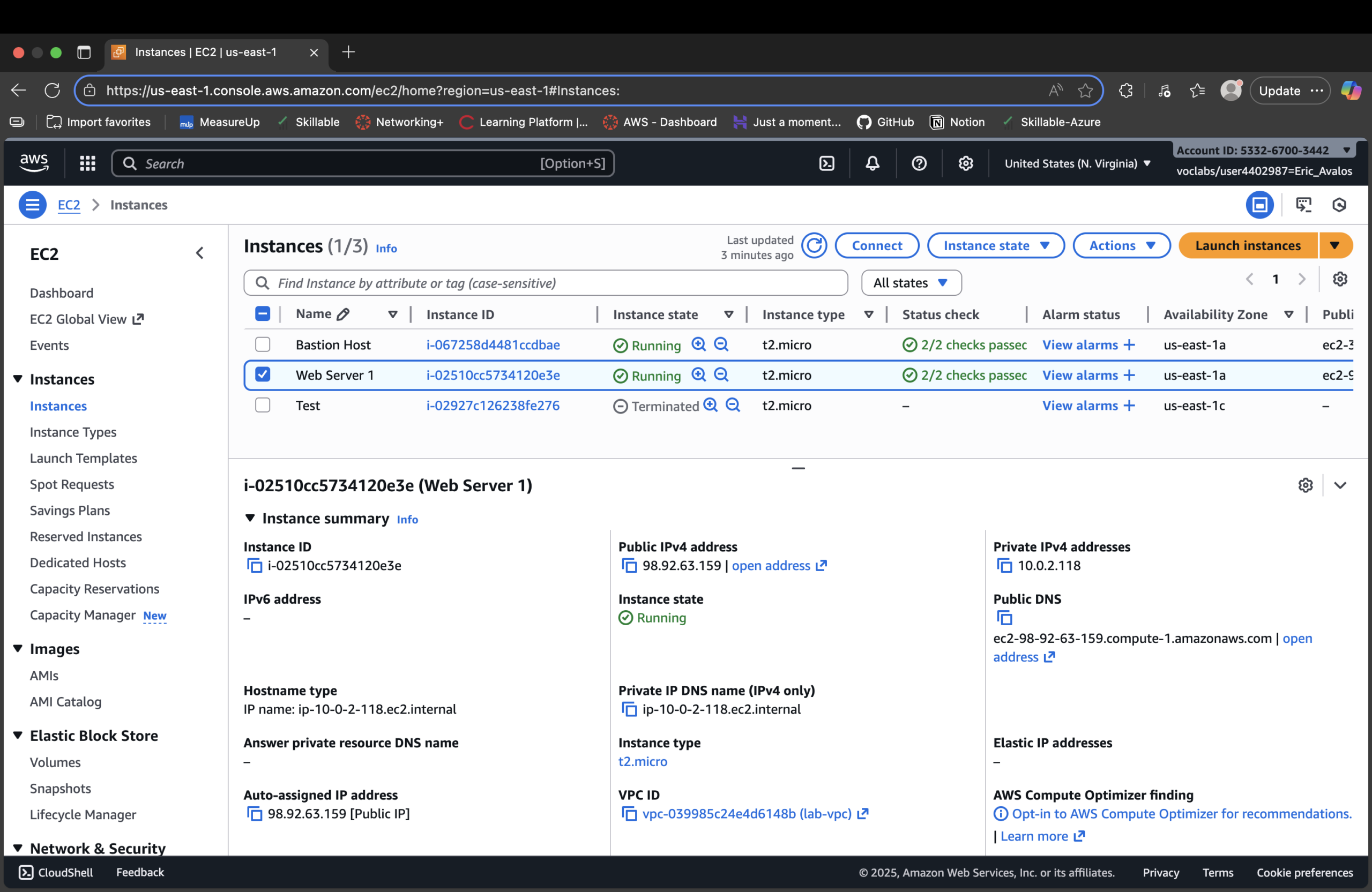
lab-subnet-public2 with a public IP.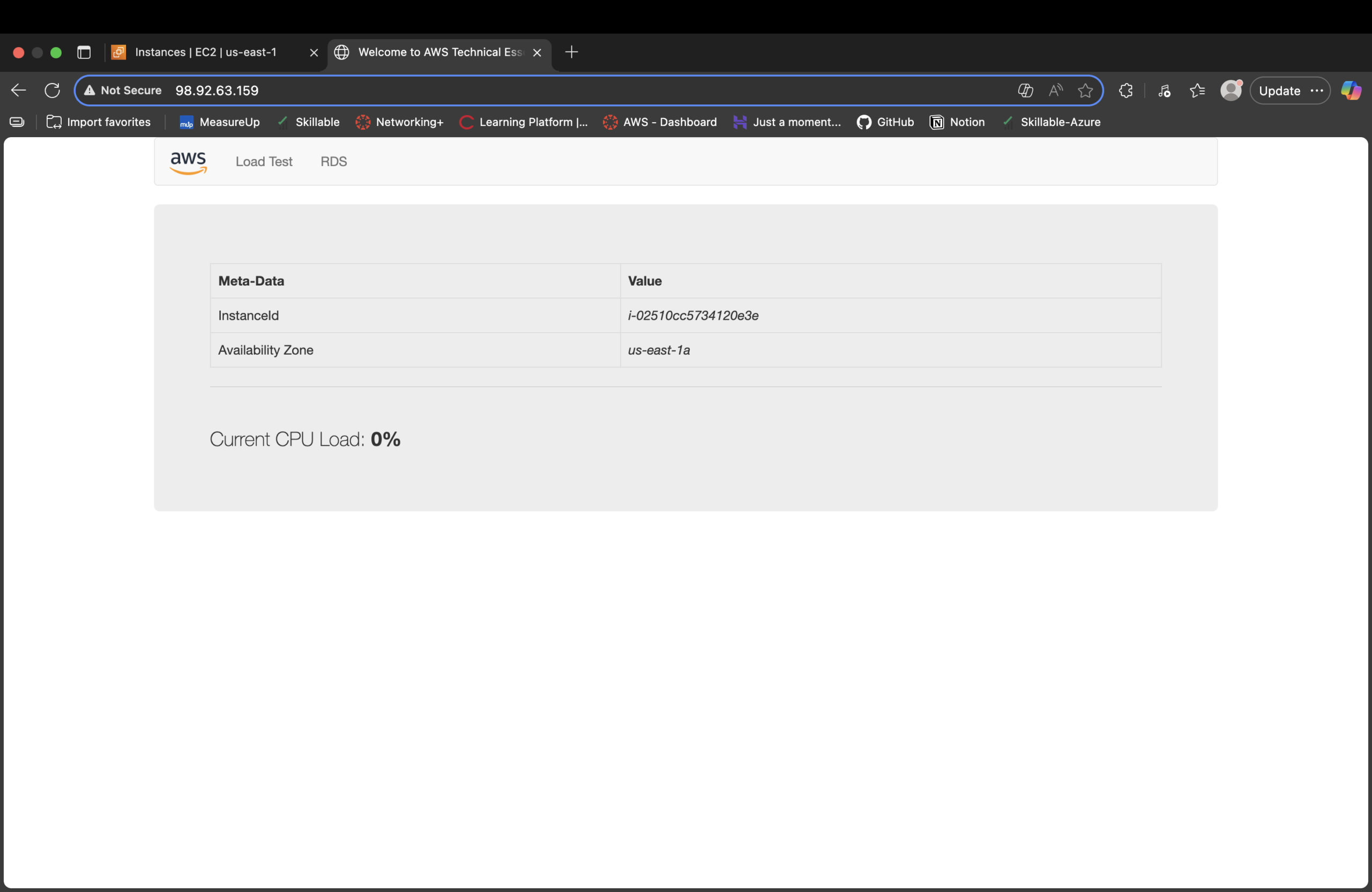
Result
- Designed a VPC with explicit public vs private network boundaries.
- Configured route tables to send
0.0.0.0/0either to IGW (public) or NAT (private). - Created a web-facing security group that only exposes HTTP.
- Launched and bootstrapped a Linux EC2 instance into the right subnet with a working web app.
- Verified end-to-end access by hitting the public DNS name from a browser.
Why This Makes Me Valuable
Most people jump straight to “spinning up EC2.” I’m wiring the network blast radius first: VPC, subnets,
routing, gateways, and security groups. That mindset scales from this single lab web server to multi-AZ,
production-grade architectures where exposure decisions directly map to risk and uptime.