Configuring a Network Firewall (pfSense)
Configured pfSense as a Zero Trust enforcement point: I proved boundary control by blocking ICMP to the DMZ,
controlled external exposure using NAT port forwarding (SSH redirected to an internal host),
and built OpenVPN using an internal CA + certificates to restore secure access without leaving internal services exposed.
Overview (My POV)
This lab wasn’t “click around pfSense.” I treated the firewall like a real boundary: start with a known-good baseline,
enforce a deny rule with measurable impact, intentionally publish a service through NAT, then replace exposed access with
VPN + certificates. It’s the same control story used in real environments: deny by default → expose deliberately → log and authenticate.
What I Did
- Established baseline connectivity between zones using ICMP (ping).
- Created a WAN firewall rule blocking ICMP to the DMZ subnet (
172.16.1.0/28). - Validated enforcement by proving ping failure after applying the rule.
- Scanned the firewall externally using
nmap(before/after exposure change). - Configured NAT port forwarding to redirect SSH from the firewall to
172.16.1.10. - Built OpenVPN: internal CA + server cert + user cert + client export + tunnel verification.
Architecture (trust boundaries)
Kali (Outside) 203.0.113.2
        |
        |  WAN: 203.0.113.1
        v
pfSense (Boundary / Enforcer)
        ^
        |  DMZ Gateway: 172.16.1.1
        |
UbuntuSRV (DMZ) 172.16.1.10
pfSense is the enforcement point. Rules and NAT determine what crosses the boundary.
Zero Trust Principle
Don’t trust a zone because it’s “internal.” Trust only what your policy explicitly allows.
- Deny by default: block unnecessary traffic (ICMP to DMZ).
- Expose deliberately: publish services through NAT only when needed.
- Prefer authenticated access: VPN + certs beats leaving management ports open.
Proof Gallery (High-signal only)
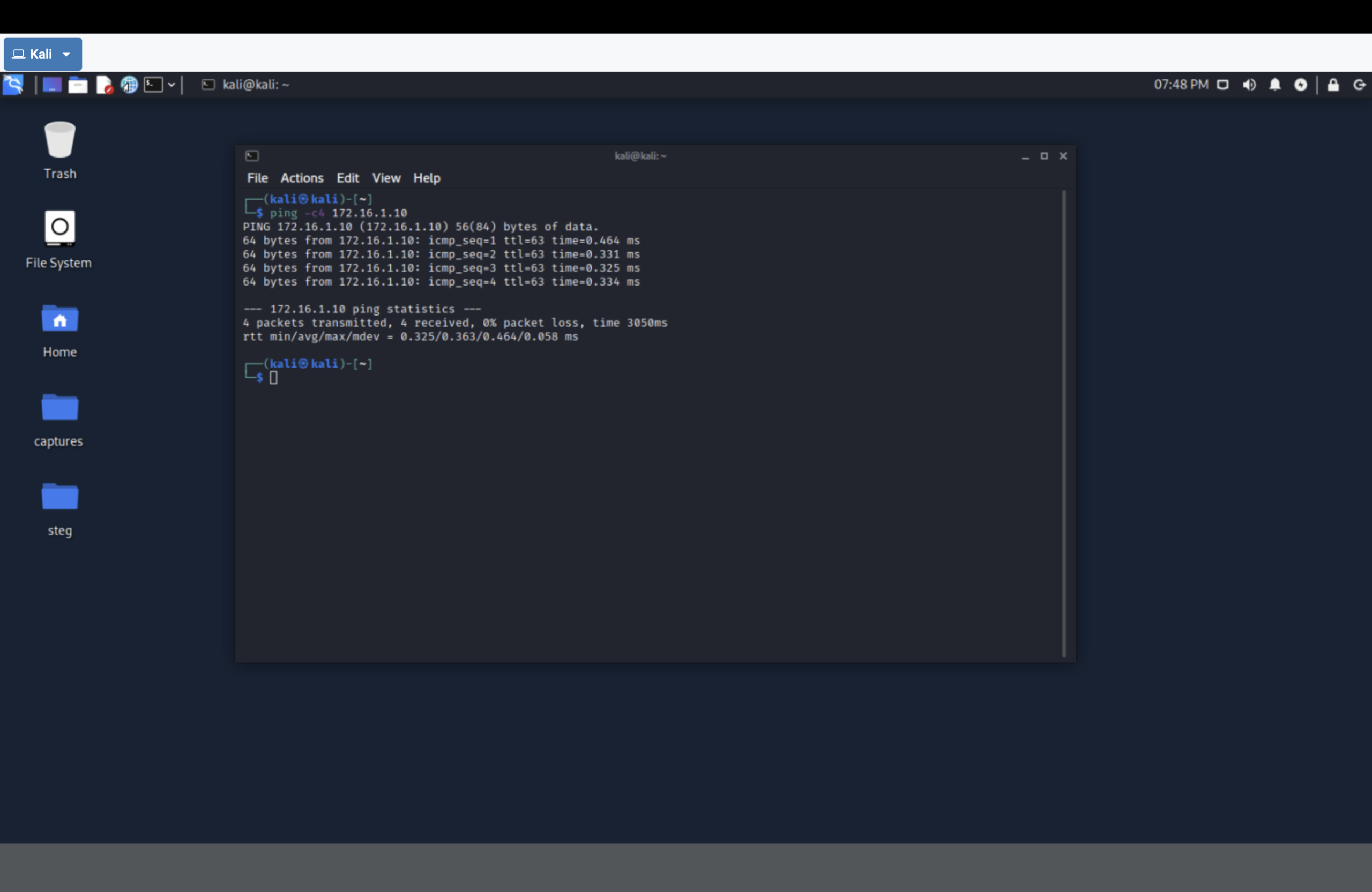
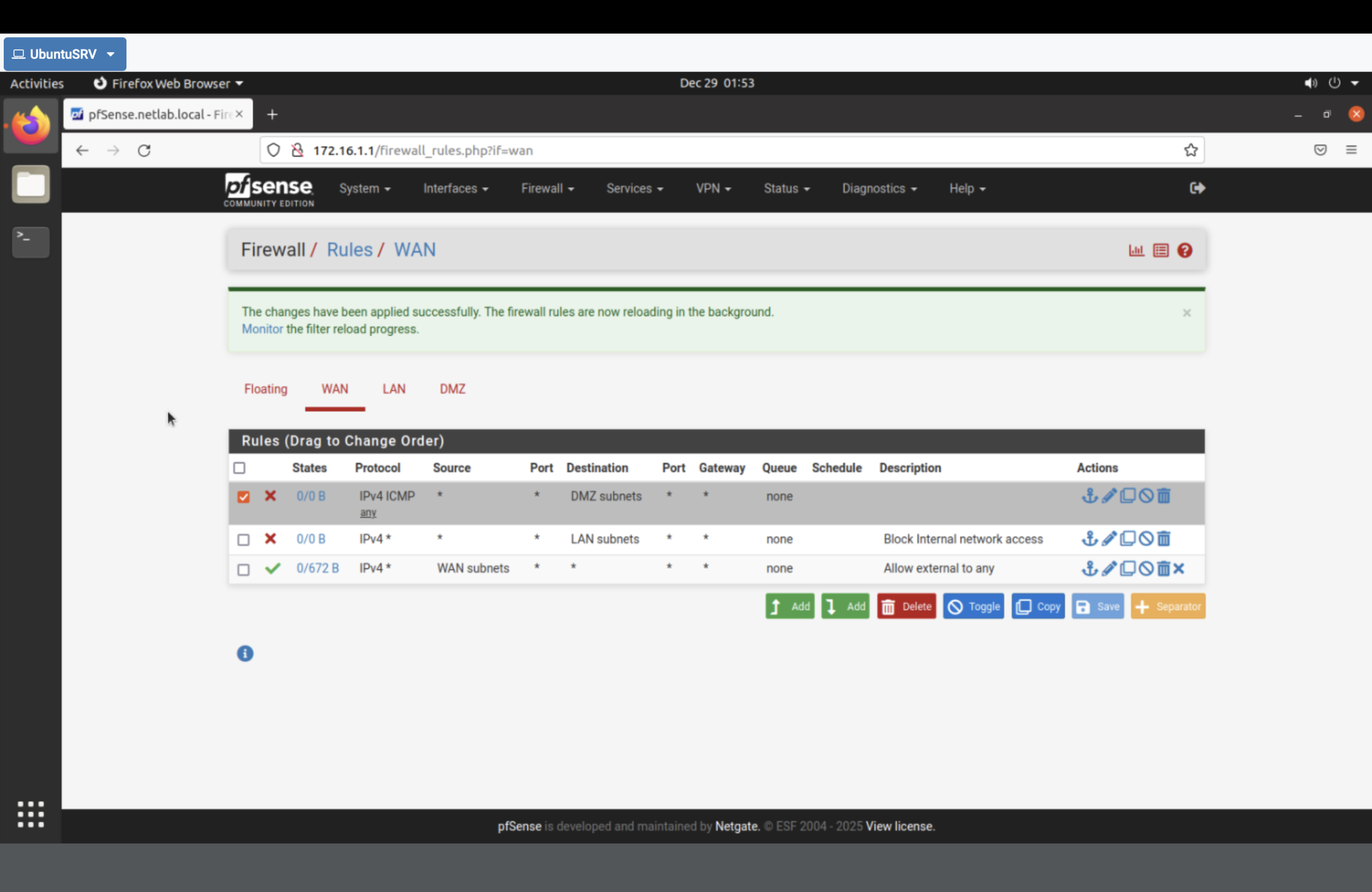
172.16.1.0/28), then applied changes.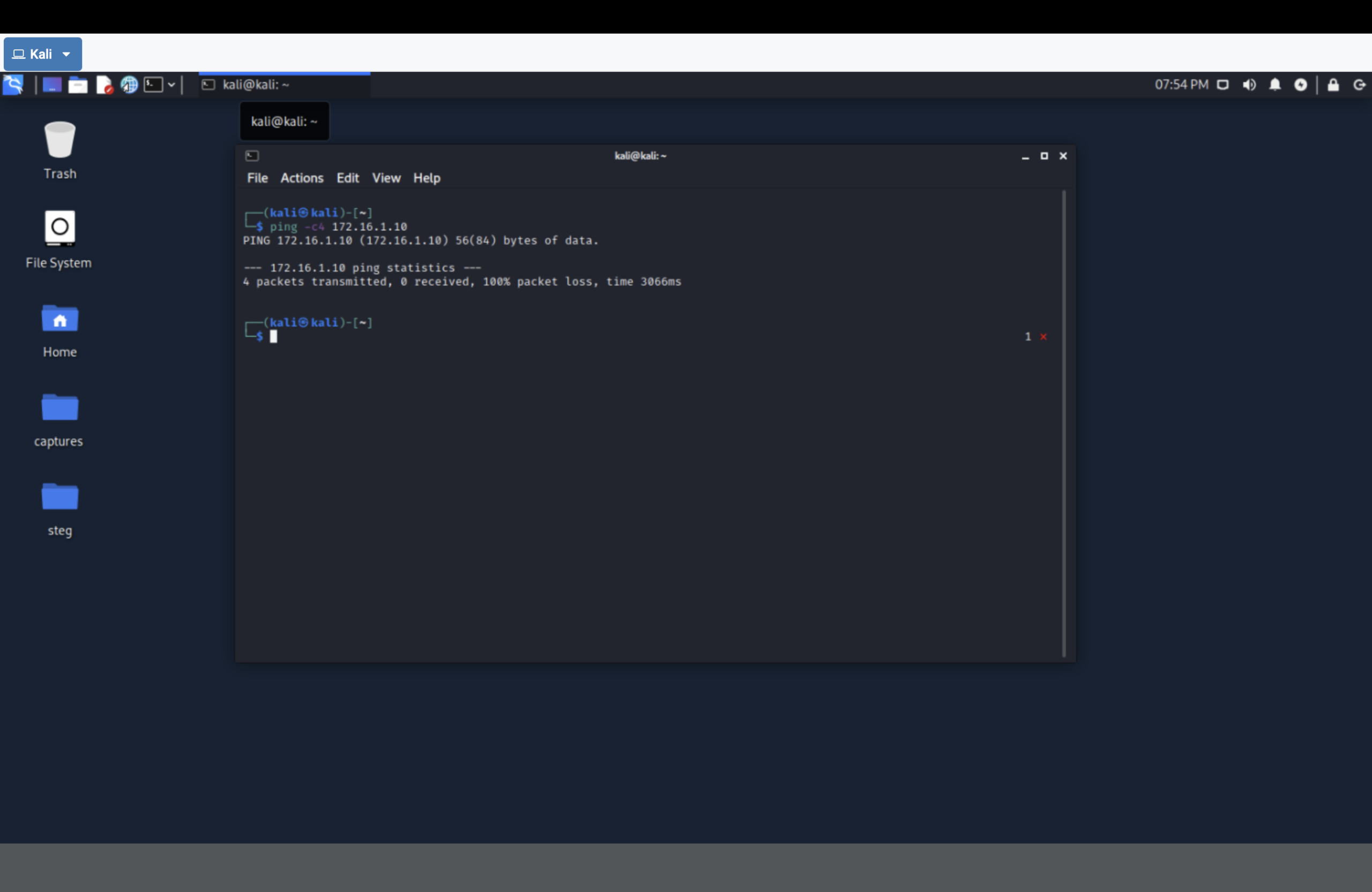
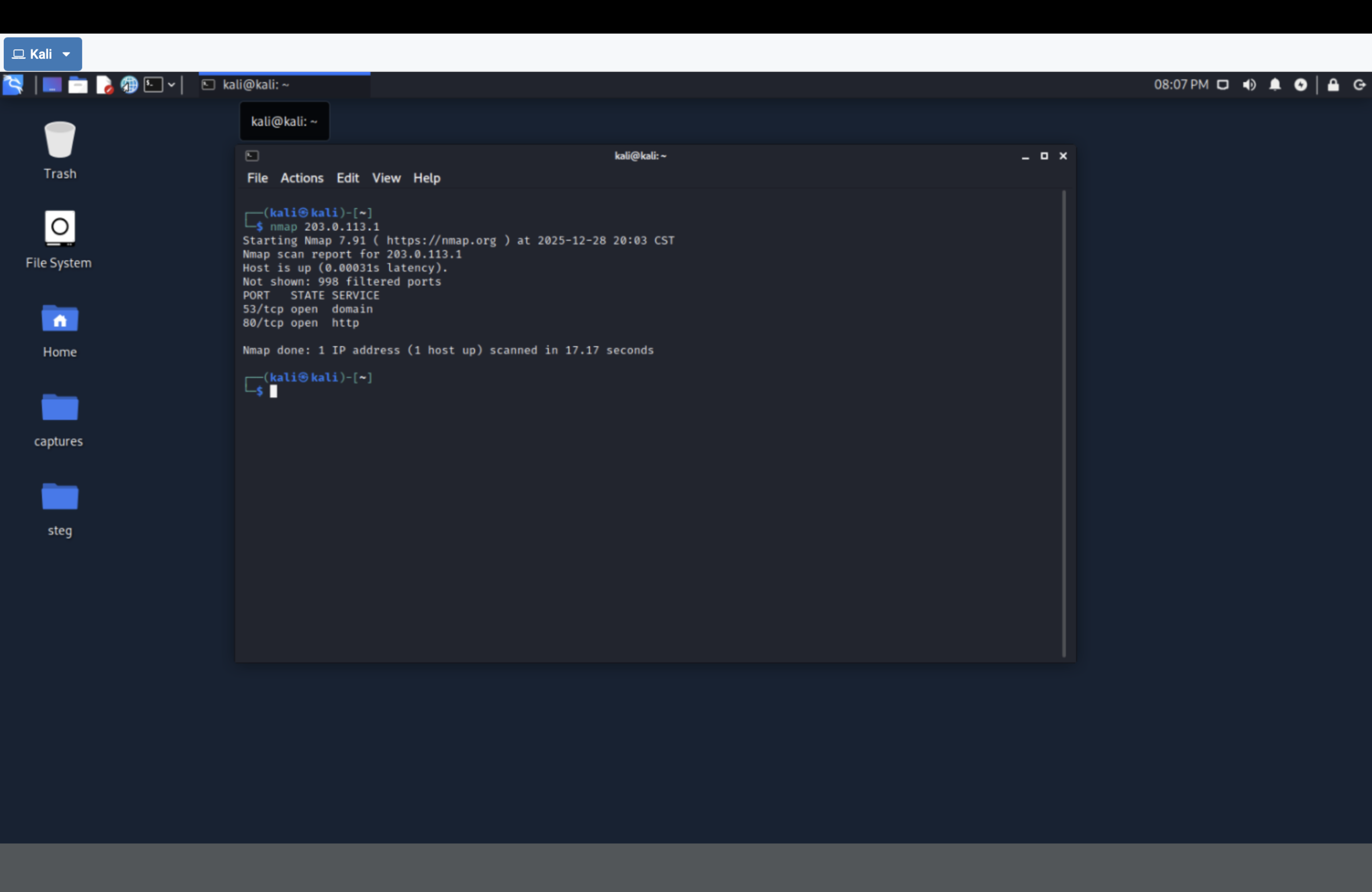
nmap scan of the firewall before NAT changes (baseline exposure).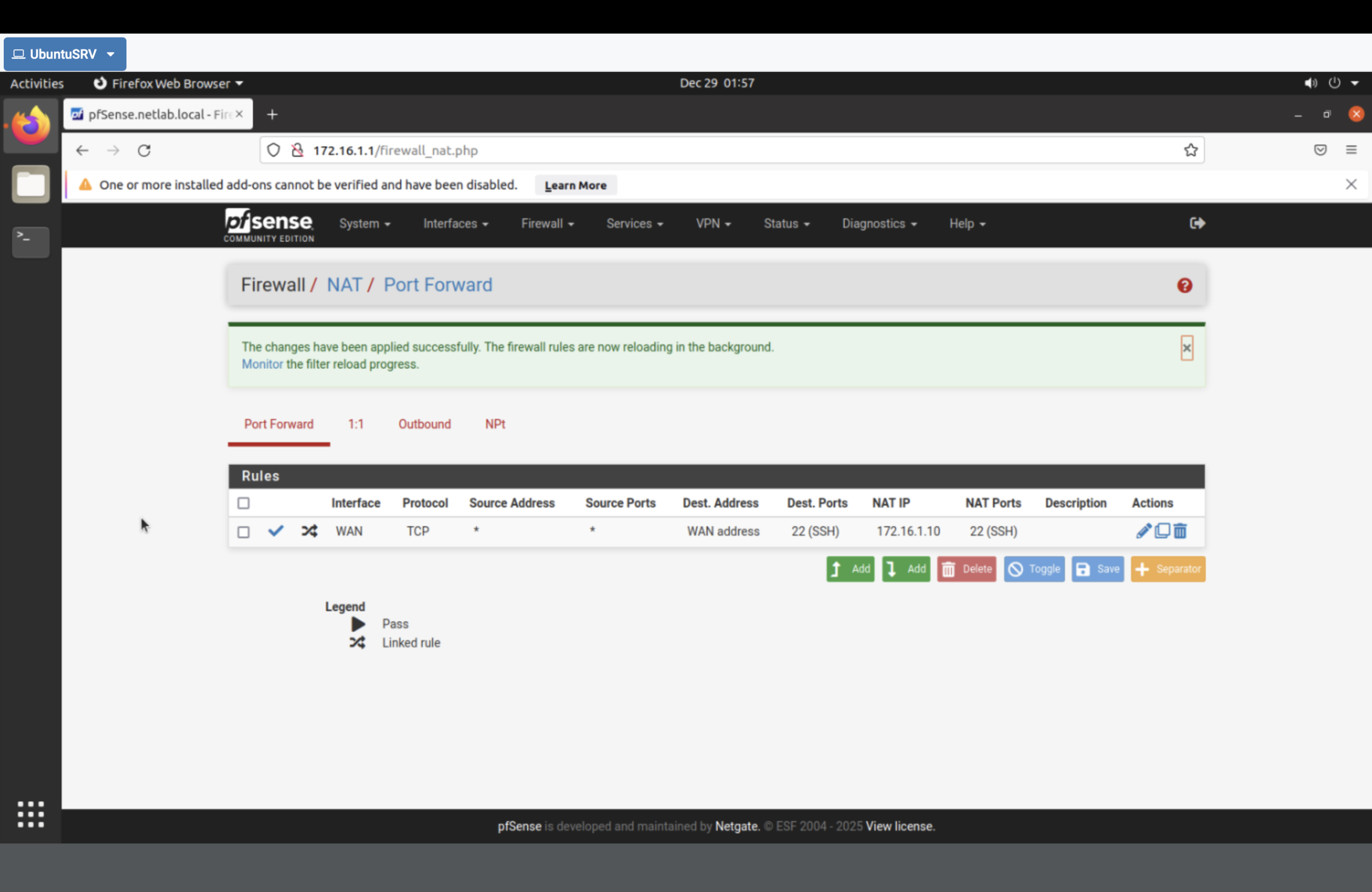
172.16.1.10 (UbuntuSRV).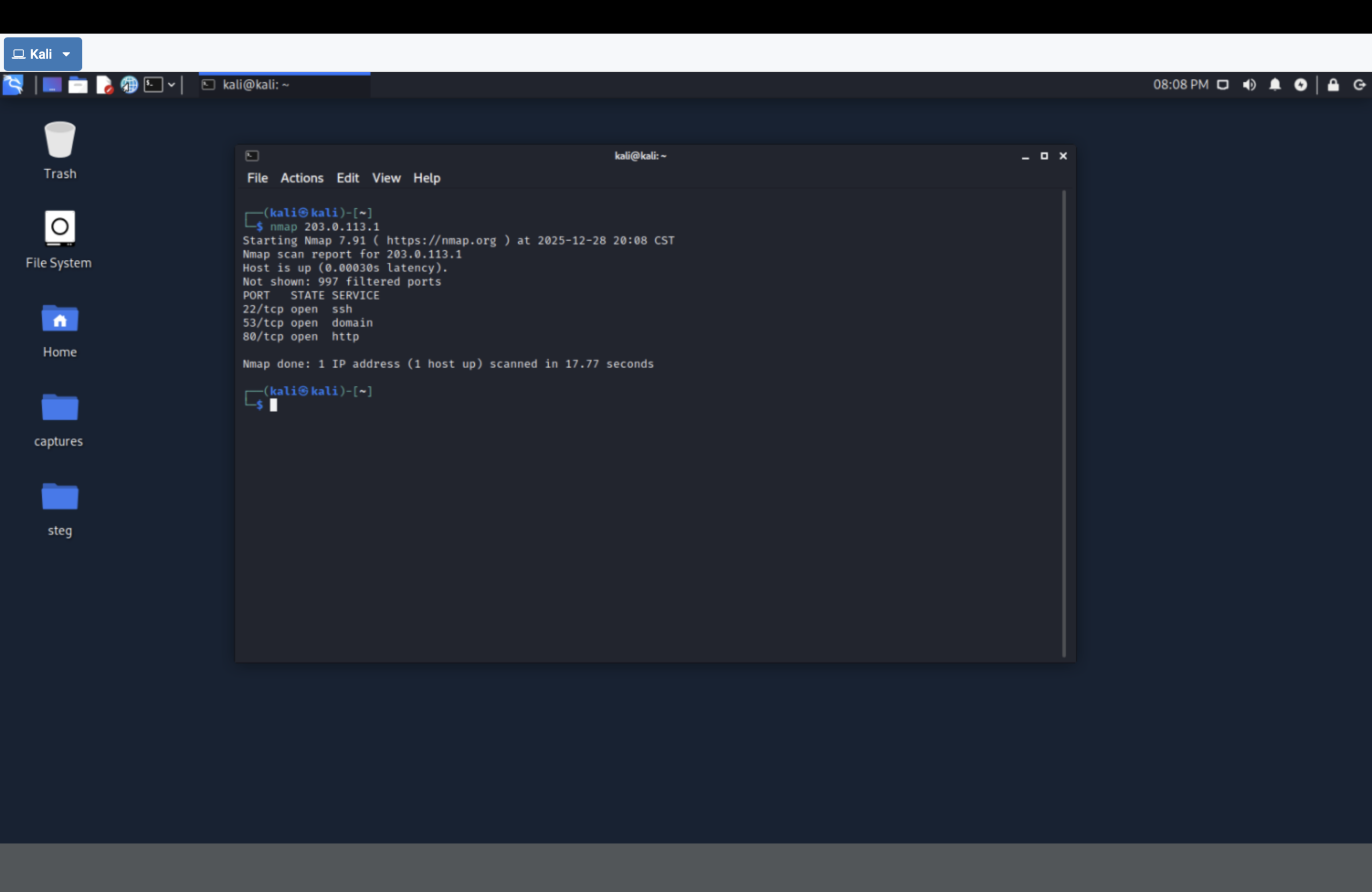
nmap now shows SSH open because pfSense is publishing it via NAT.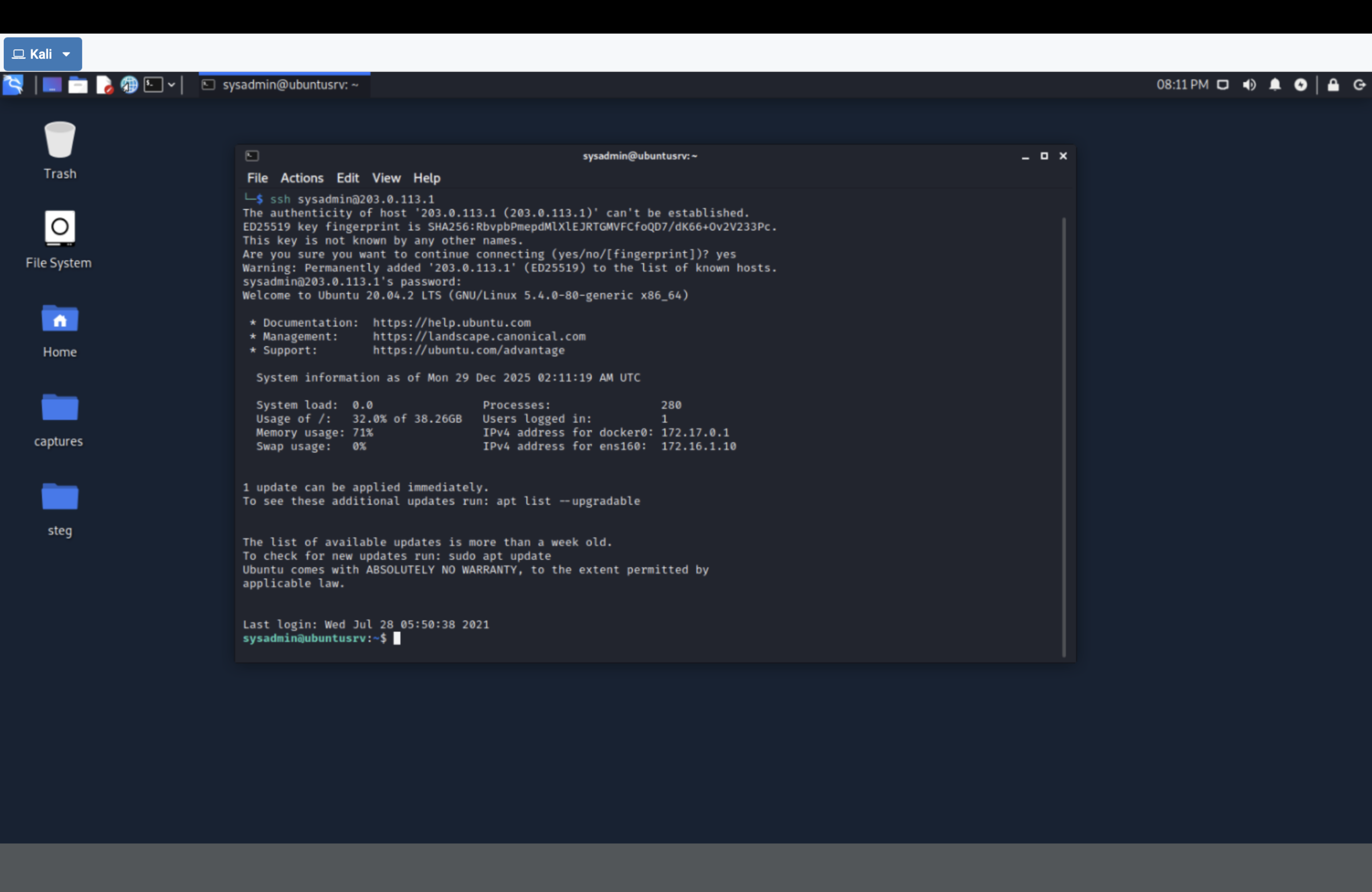
203.0.113.1 landed on ubuntusrv (NAT redirected the session internally).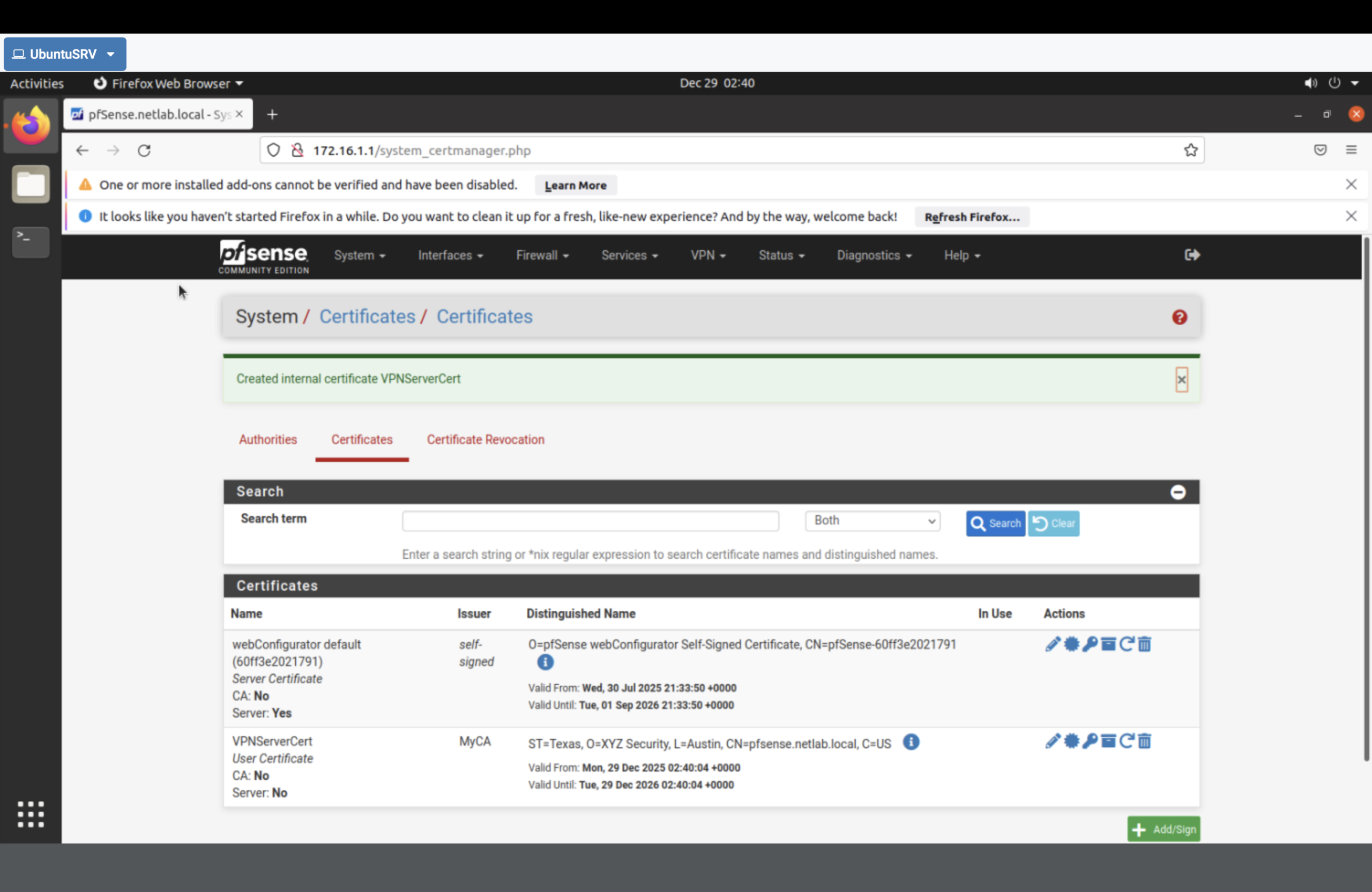
MyCA) and server certificate (VPNServerCert) for OpenVPN.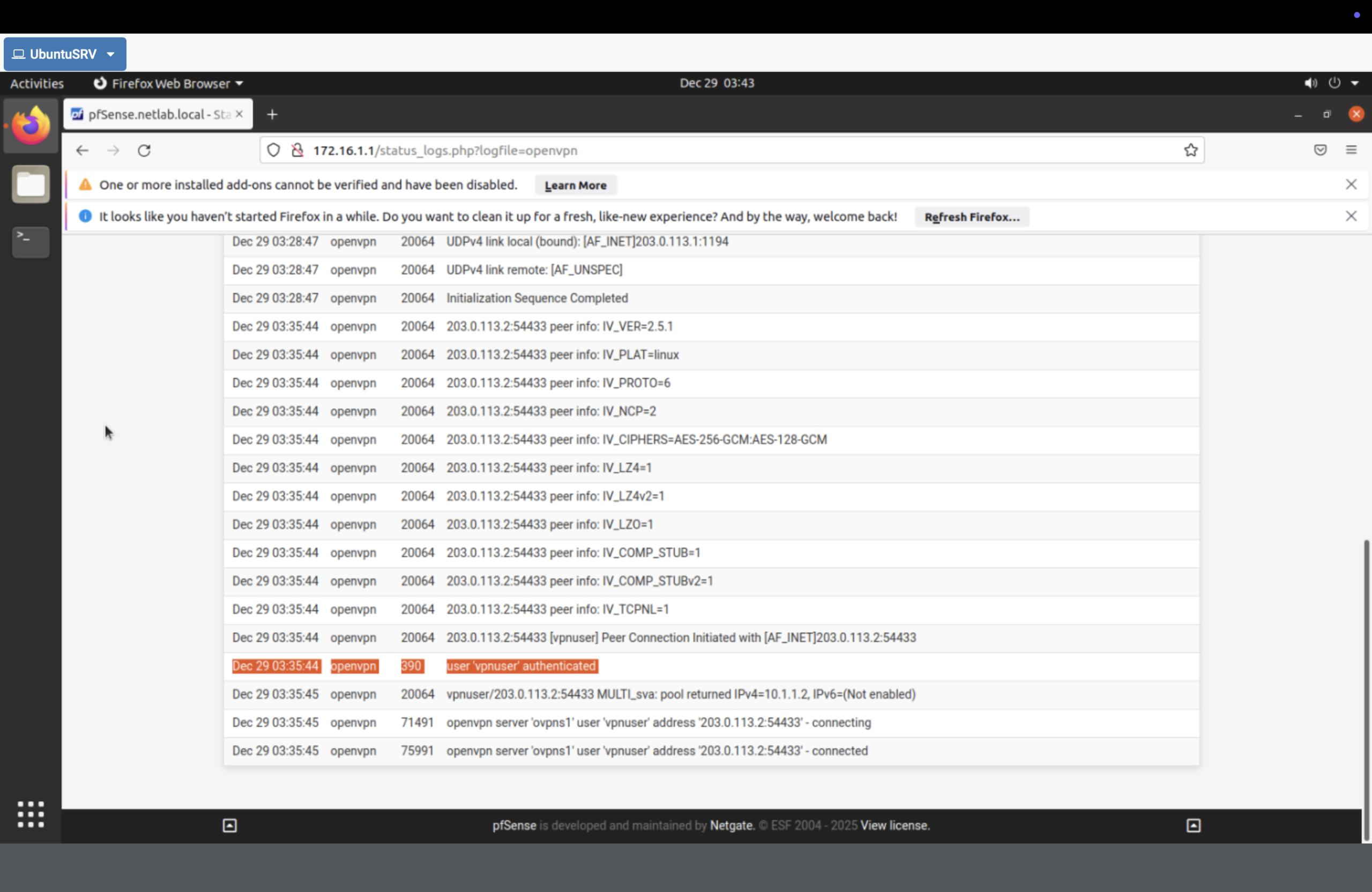
Result
- Enforced boundary policy by blocking ICMP to the DMZ subnet.
- Measured the impact with before/after connectivity tests.
- Controlled exposure using NAT port forwarding to publish SSH intentionally.
- Established secure remote access through OpenVPN backed by an internal CA + certificates.
Why This Makes Me Valuable
I don’t treat “network security” as a checkbox. I can take an environment, define trust zones, enforce policy at the boundary,
validate results with recon/testing, and replace exposed management access with authenticated VPN tunnels. That’s the difference
between “a firewall exists” and a firewall is controlling risk.