Intro to AWS IAM – Users, Groups & Policies
First AWS side of the IAM chokepoint: mapping users, groups, and policies so access is tied to job function,
not luck. I explored pre-created IAM identities, attached AWS-managed and inline policies, and tested how those
decisions play out in EC2 and S3. Identity still defines who exists, what they can touch, and where they can move —
just in a different cloud.
Overview (My POV)
This lab treated AWS IAM as the control plane for AWS. I started with three users and three groups
(EC2-Support, S3-Support, EC2-Admin), then wired permissions so each identity only had the access their
role actually needs. The value wasn’t clicking through the console — it was seeing how a single policy
decision upstream decides what happens when someone hits EC2 or S3 later.
Highlights
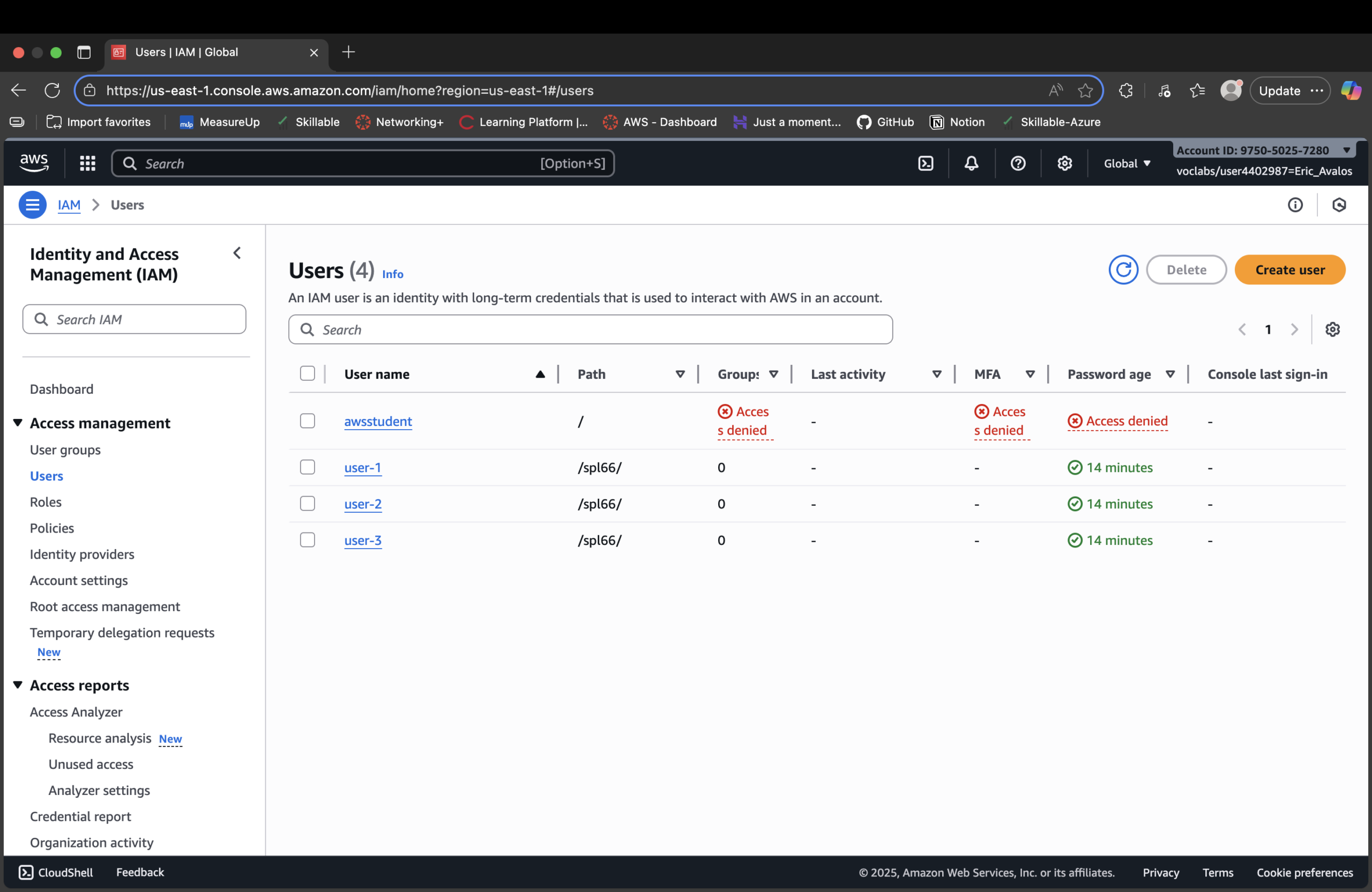
- Explored existing IAM users (user-1, user-2, user-3) and user groups (EC2-Admin, EC2-Support, S3-Support).
- Reviewed AWS-managed policies like
AmazonEC2ReadOnlyAccessandAmazonS3ReadOnlyAccess. - Compared managed vs inline policies on groups (reusable vs one-off permissions).
- Mapped each user to a group based on job function (S3 support, EC2 support, EC2 admin).
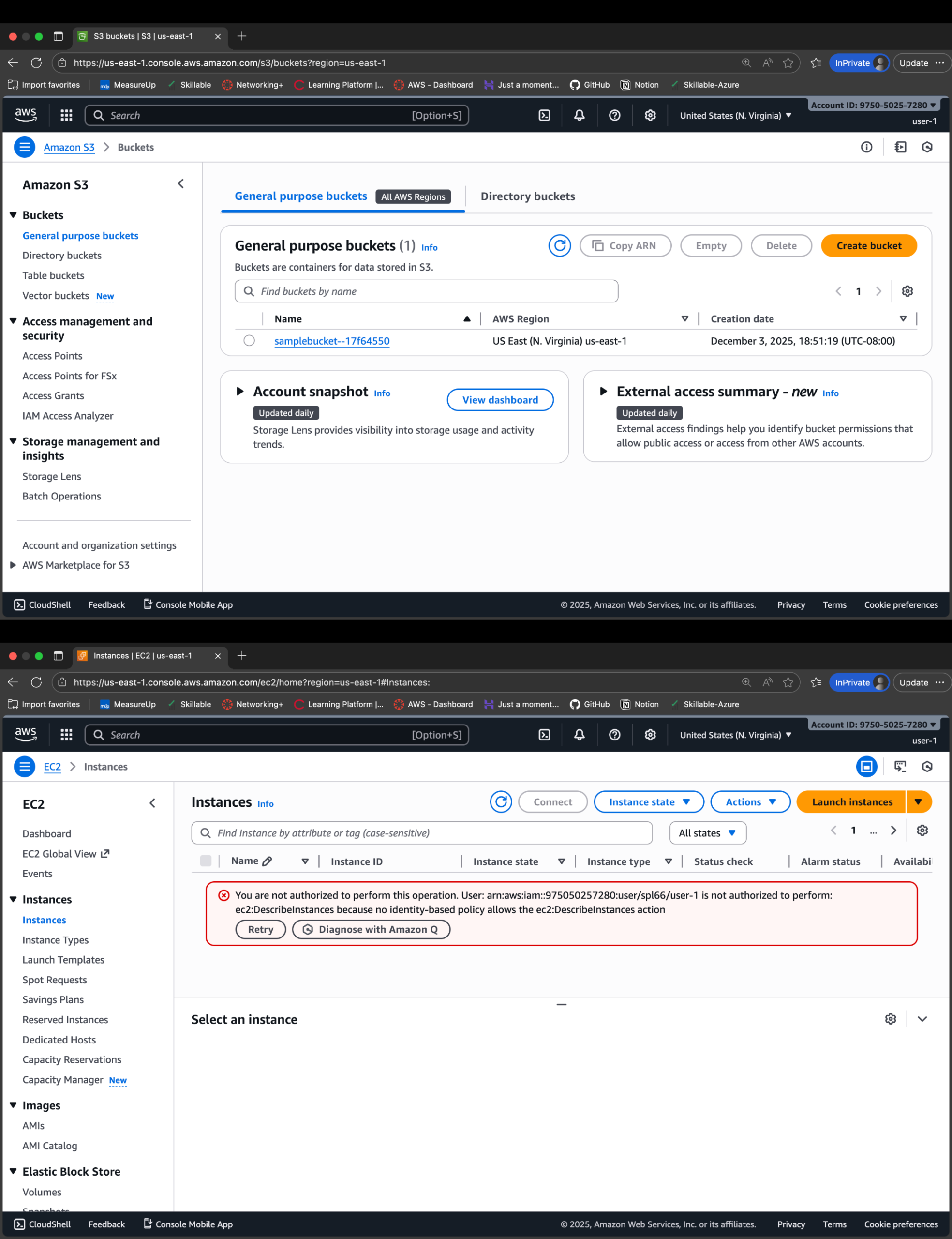
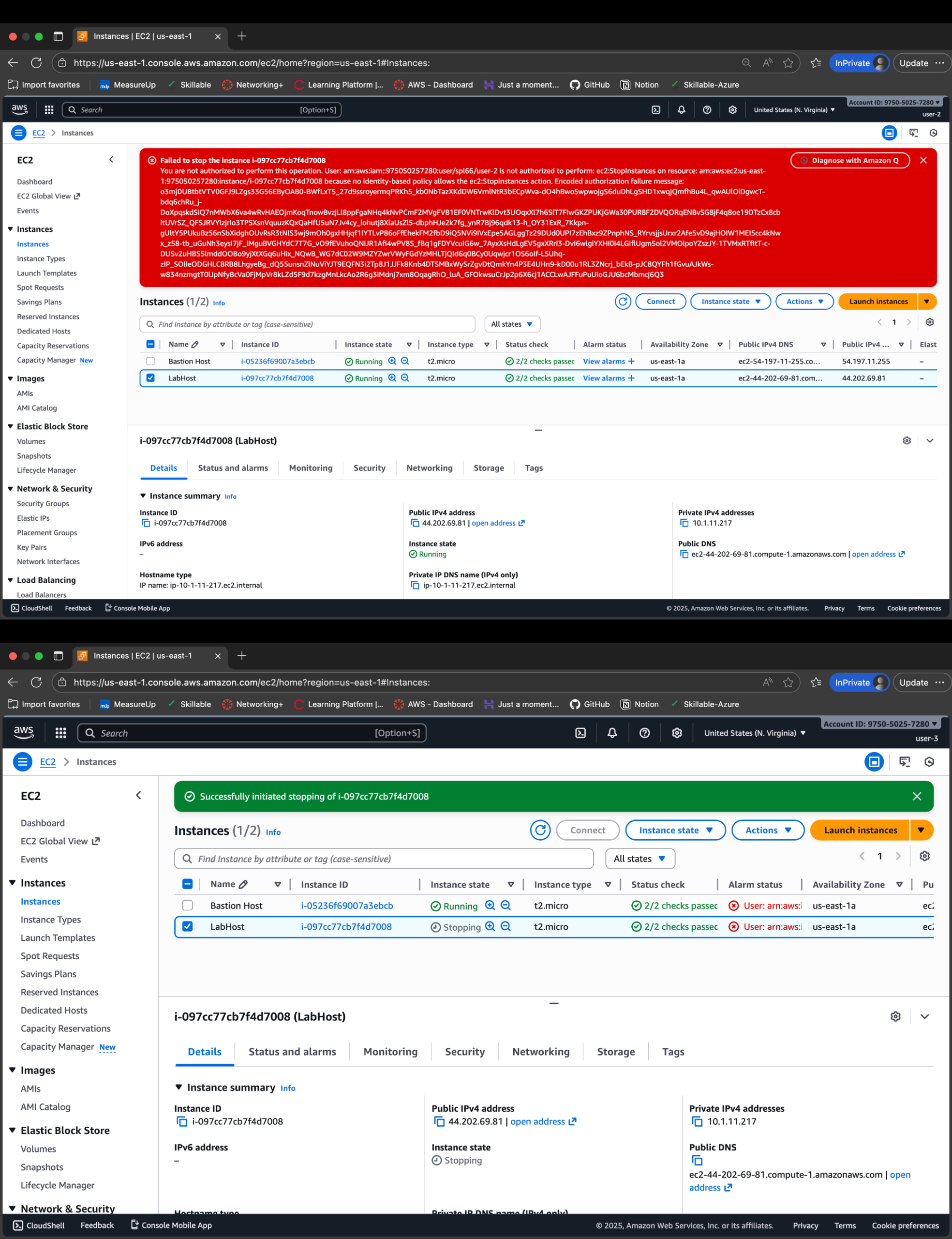
- Verified permissions by signing in as each user and testing EC2/S3 access and errors.
IAM = Cloud Gate
In AWS, IAM is still the gate. I didn’t touch security groups, buckets, or instances directly —
I controlled who could even see or act on them.
- Users: identities mapped to real people (user-1, user-2, user-3).
- Groups: job-based access bundles (S3-Support, EC2-Support, EC2-Admin).
- Managed policies: reusable AWS-defined permissions (read-only views).
- Inline policy: targeted EC2 admin access (Describe/Start/Stop instances).
Least Privilege in Practice
Instead of “everyone is admin,” each user saw a different AWS based on their group.
Support staff could see but not change; the admin could act but only on EC2.
Same identity pattern as Entra — different platform, same control philosophy.
- user-1: S3 read-only, blocked from EC2.
- user-2: EC2 read-only, blocked from S3.
- user-3: EC2 view + Start/Stop, no S3 access.
- One mis-assigned group would instantly widen the blast radius.
Policy Snippet (EC2 Admin Inline Policy)
Example of the EC2-Admin group’s targeted capabilities — not full admin, just what’s needed:
{
  "Version": "2012-10-17",
  "Statement": [
    {
      "Sid": "EC2ViewAndLifecycle",
      "Effect": "Allow",
      "Action": [
        "ec2:DescribeInstances",
        "ec2:DescribeTags",
        "ec2:StartInstances",
        "ec2:StopInstances"
      ],
      "Resource": "*"
    }
  ]
}
This is the pattern: describe broadly so admins can see the fleet,
but keep mutation to specific lifecycle actions. Power without chaos.
Proof Gallery
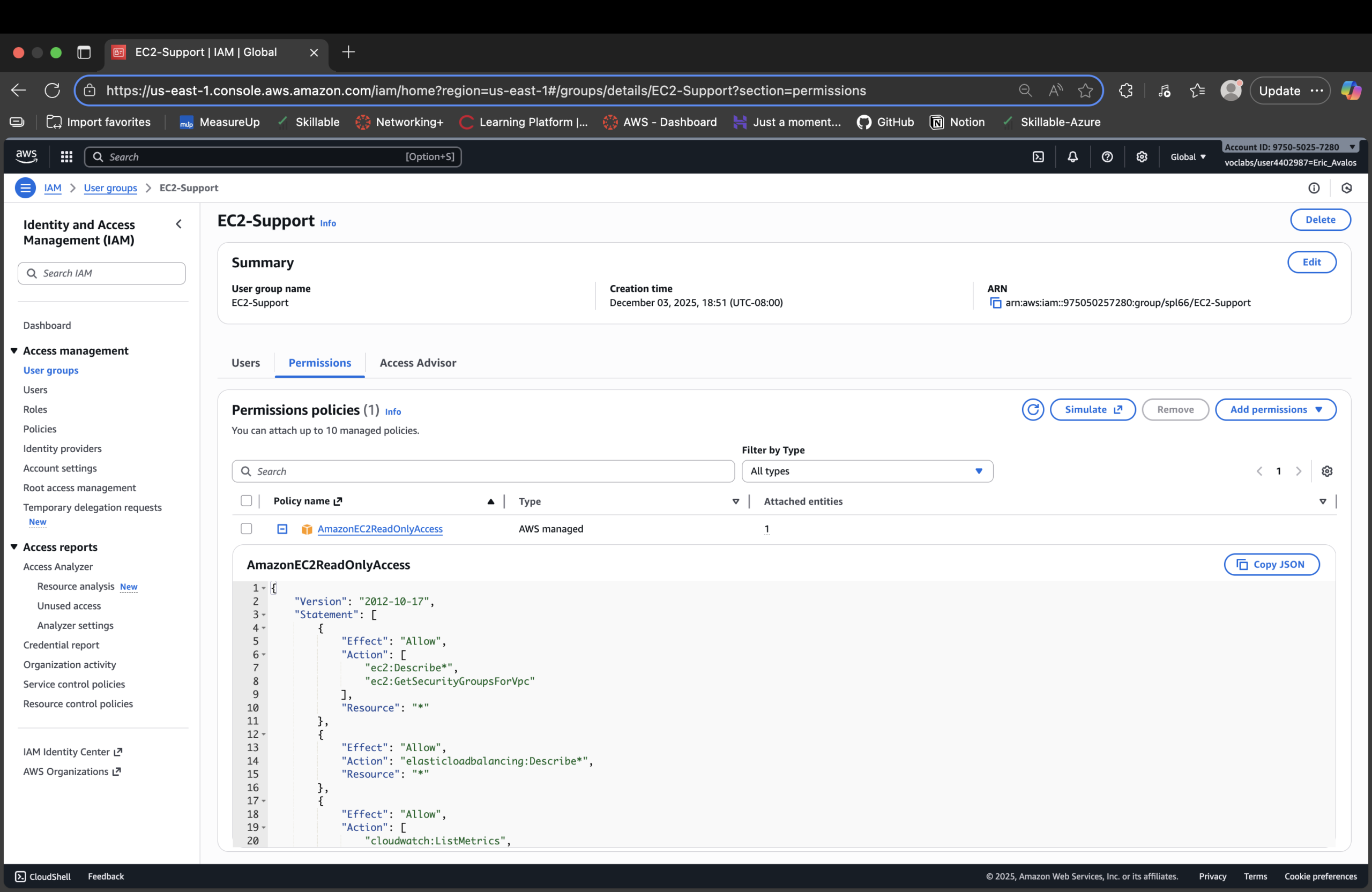
AmazonEC2ReadOnlyAccess attached (view-only EC2 support).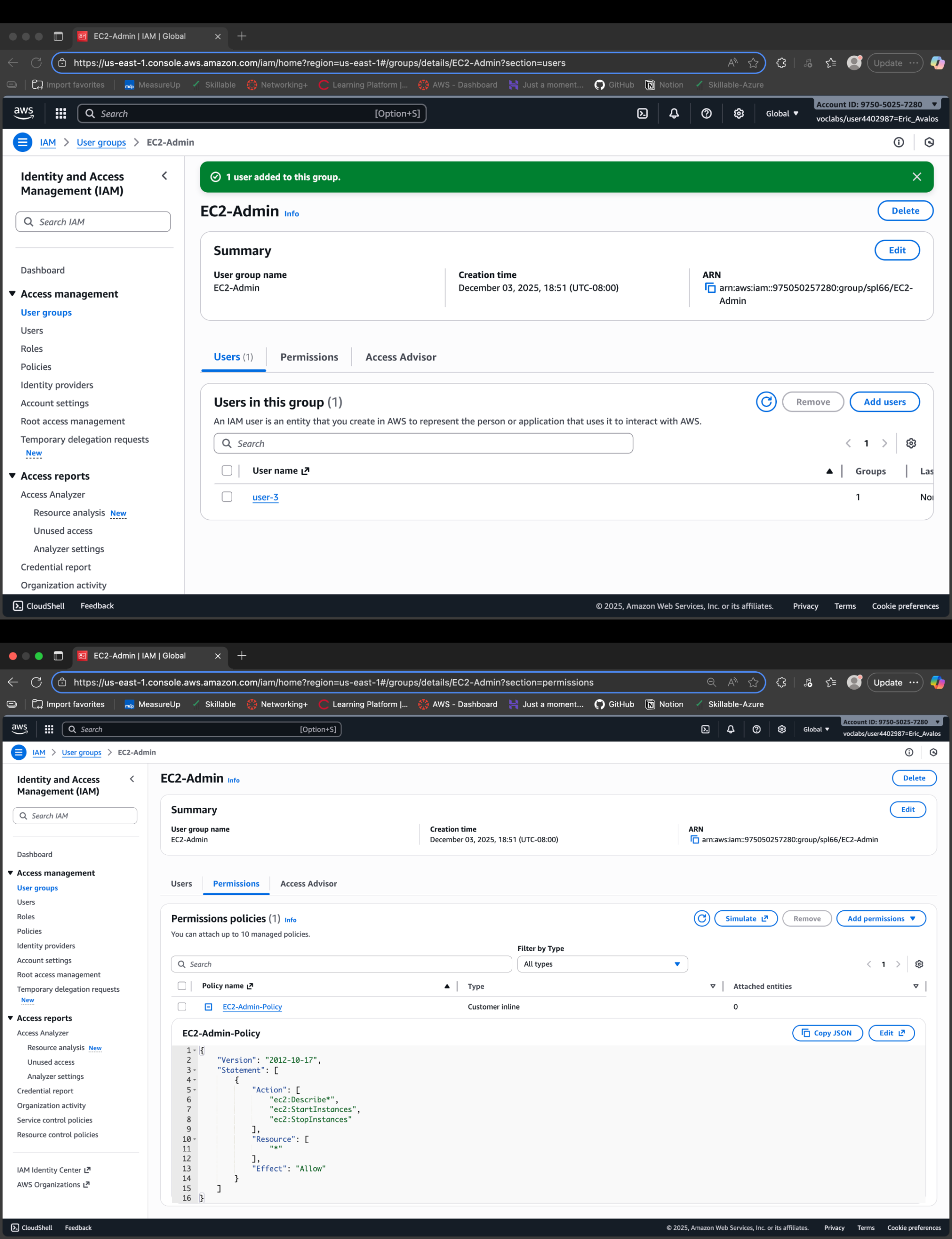
Result
- Mapped three IAM users cleanly into three job-based groups.
- Verified AWS-managed read-only policies for EC2 and S3 support roles.
- Used an inline policy to scope EC2 admin capabilities to Describe/Start/Stop only.
- Tested behavior end-to-end by logging in as each user and hitting EC2/S3.
- Proved that a single change in IAM reshapes what each person actually sees and can do.
Why This Makes Me Valuable
Most people think “AWS IAM is just users and keys.” I’m treating IAM as the cloud control plane:
job-based groups, reusable policies, and targeted admin rights that play out consistently in EC2 and S3.
That mindset scales the moment the environment stops being a lab and starts being real money.