AWS EC2 Access & Least-Privilege Paths
Hardened a single EC2 instance as a controlled endpoint: launched it inside a Lab VPC, bootstrapped it into
a web server via user data, enforced HTTP access through a tight security group, and used stop/termination
protection to guard the instance lifecycle. The focus wasn’t “spin up a VM” — it was who can reach it,
over what path, and how safely it can be changed or shut down.
Overview (My POV)
This lab treated an EC2 instance as a controlled asset at the edge of the network.
I launched it into a pre-built Lab VPC, used user data to turn it into a web server, and relied on a
security group as the only entry path from the internet. On top of that, I enforced stop/termination
protection and resized both compute and storage without losing the instance.
Highlights
- Launched an EC2 Web Server instance into a Lab VPC public subnet with a public IP.
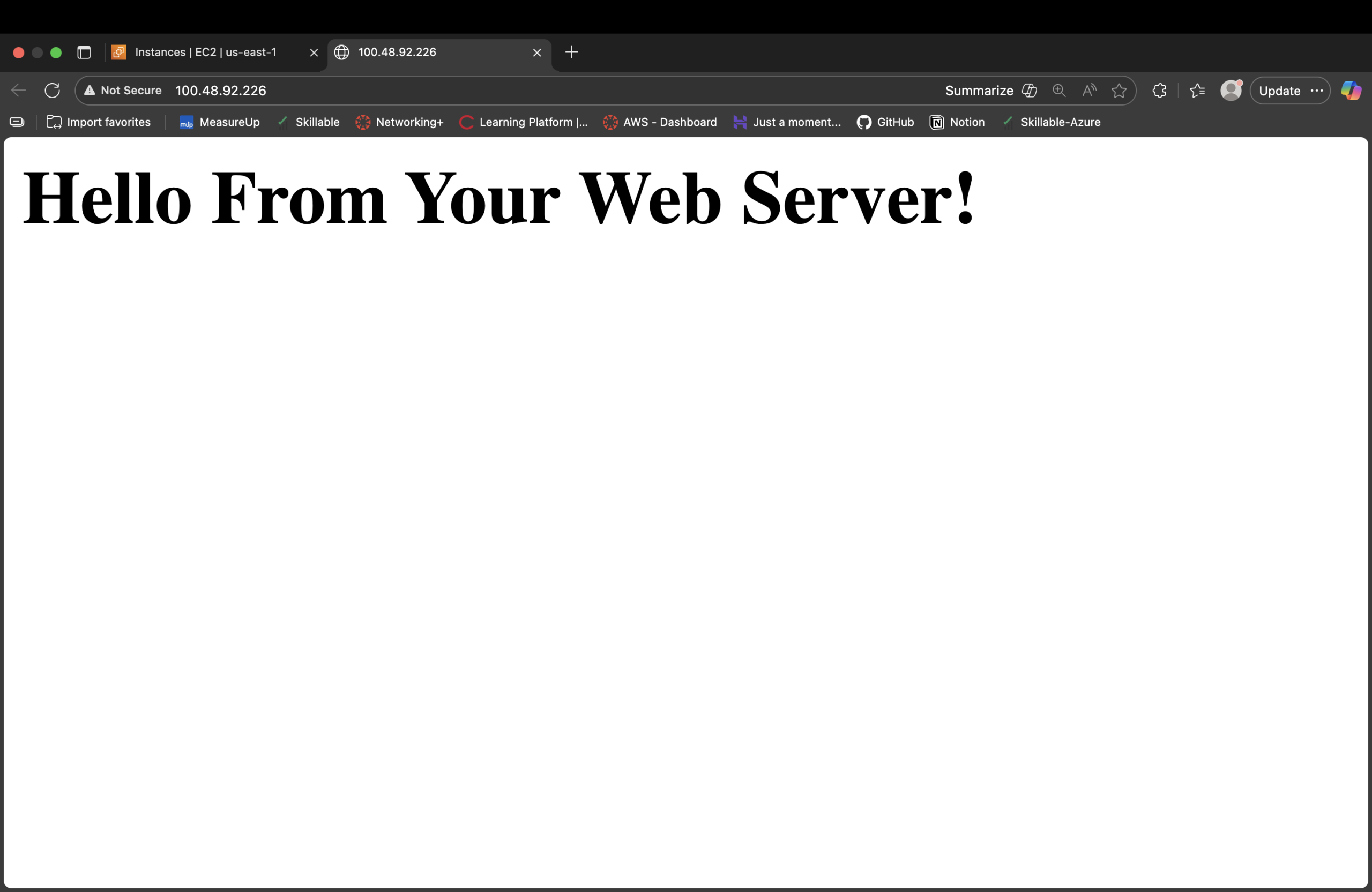
- Used user data to install Apache and serve a simple web page automatically on boot.
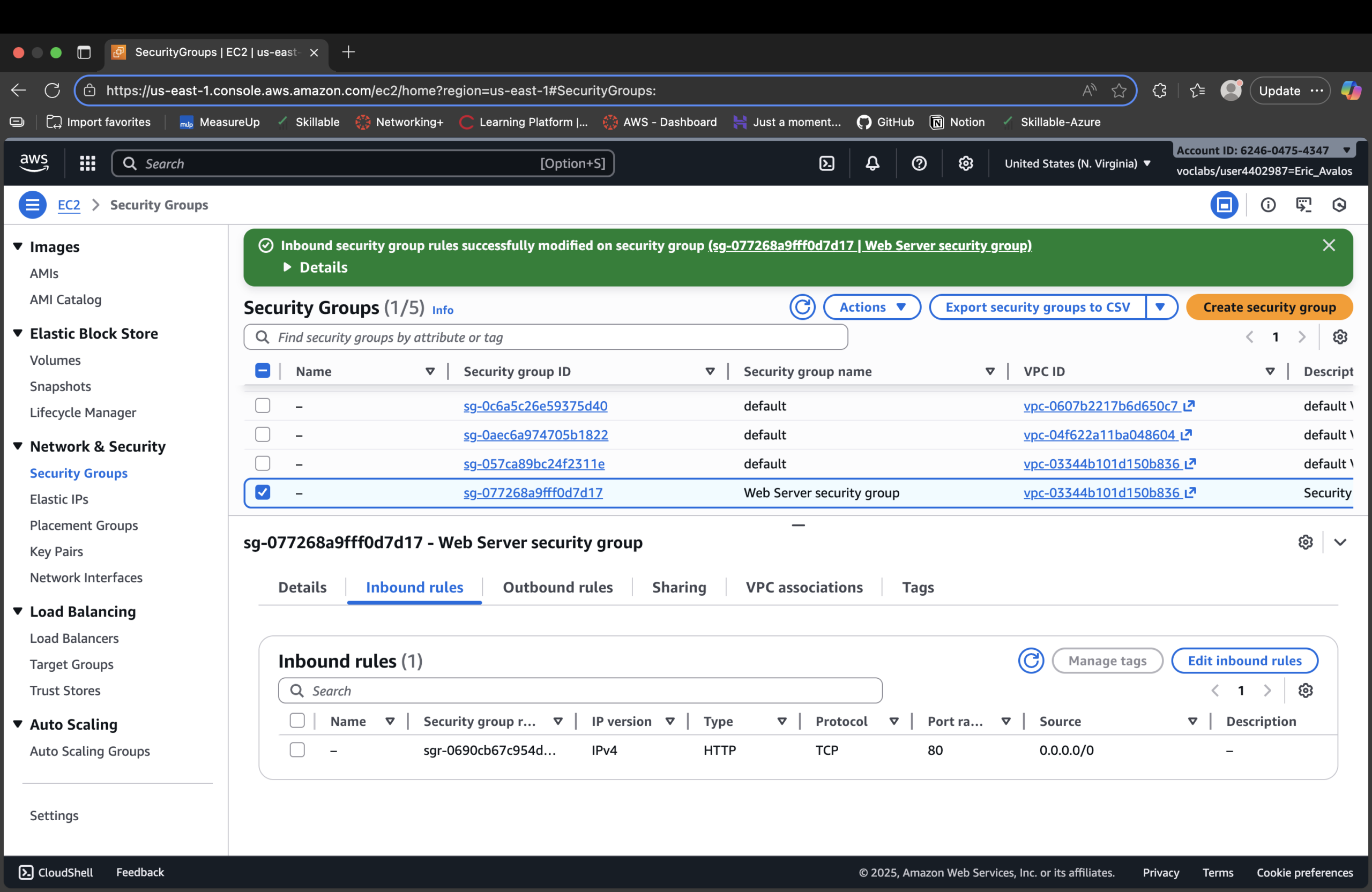
- Created a dedicated Web Server security group and opened only HTTP (port 80) from the internet.
- Verified monitoring: status checks, system log output, and console screenshot behavior.
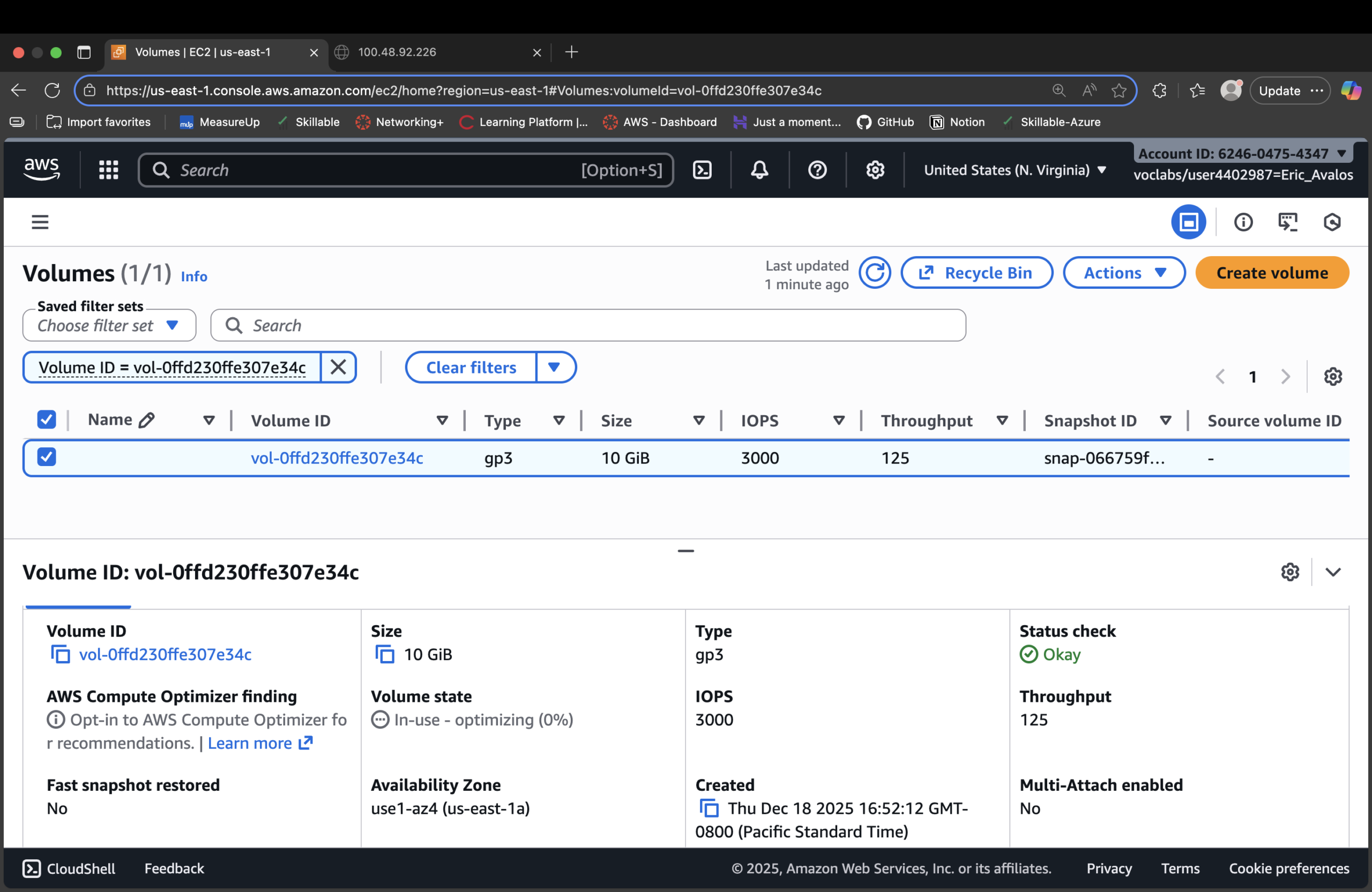
- Resized the instance from t2.micro → t2.small and expanded the root EBS volume from 8 GiB → 10 GiB.
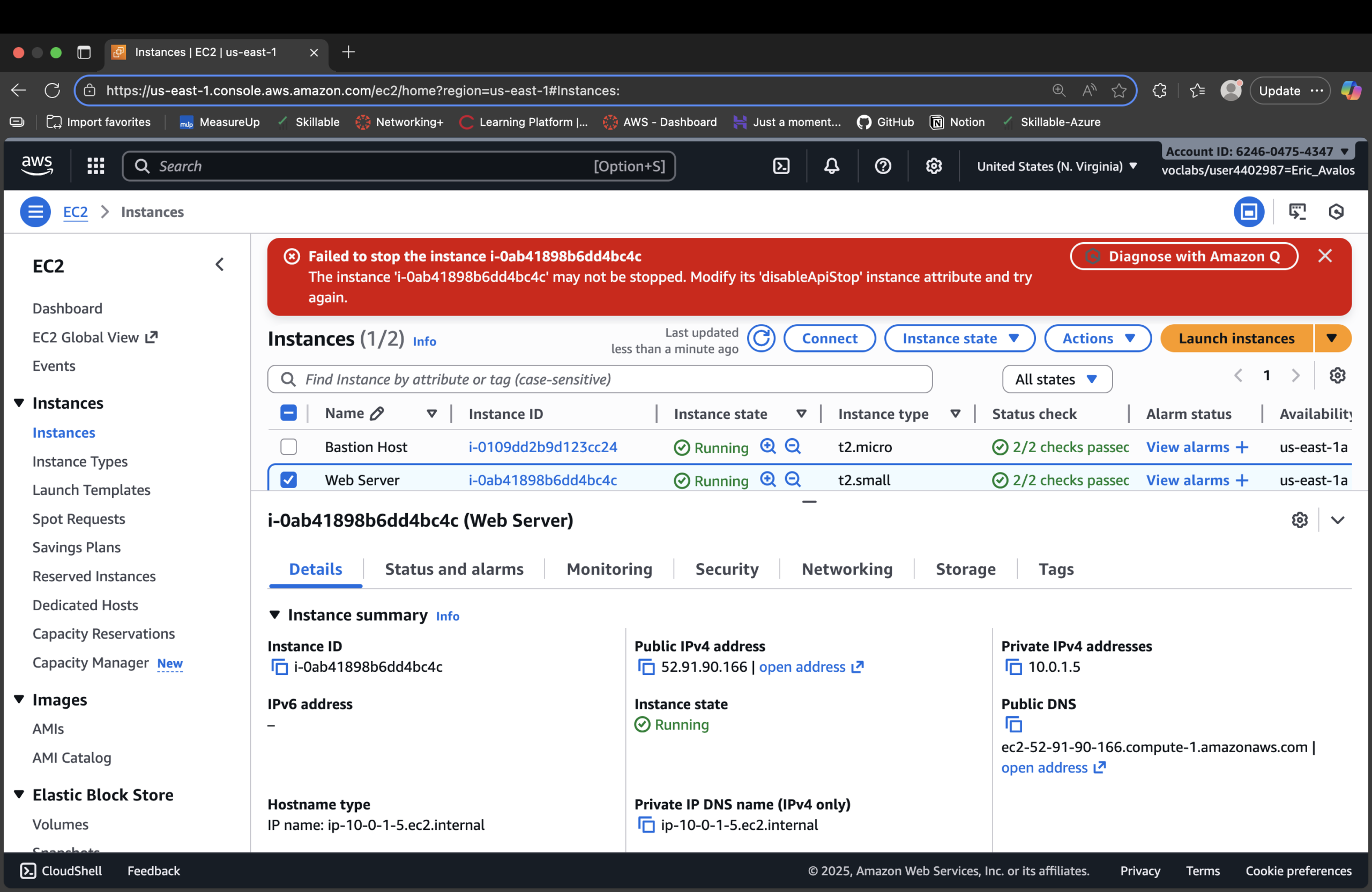
- Enabled and tested stop protection so accidental stops are blocked until explicitly disabled.
Instance as a Zero Trust Endpoint
The instance isn’t “a server.” It’s an endpoint with a narrow path in:
one VPC, one subnet, one public IP, one security group rule, one service (HTTP).
- Placement: instance bound to a Lab VPC public subnet.
- Workload state: deterministic user-data script bootstraps the same config every time.
- Ingress: no inbound traffic allowed until the HTTP rule is added.
- Verification: status checks + logs confirm health and configuration.
Least-Privilege Paths & Lifecycle Guards
Access isn’t just ports — it’s also about who can kill or break the instance.
Stop/termination protection adds another layer of control.
- Security group: only HTTP 80 from the internet; no SSH/RDP opened.
- Stop protection: stop attempts fail until protection is explicitly removed.
- Termination protection: prevents accidental deletes of a workload.
- Resizing safely: stop → resize (type + volume) → start cleanly.
Bootstrap Script (User Data)
Web server comes online in a known, repeatable state:
#!/bin/bash
dnf install -y httpd
systemctl enable httpd
systemctl start httpd
echo '<html><h1>Hello From Your Web Server!</h1></html>' > /var/www/html/index.html
Proof Gallery
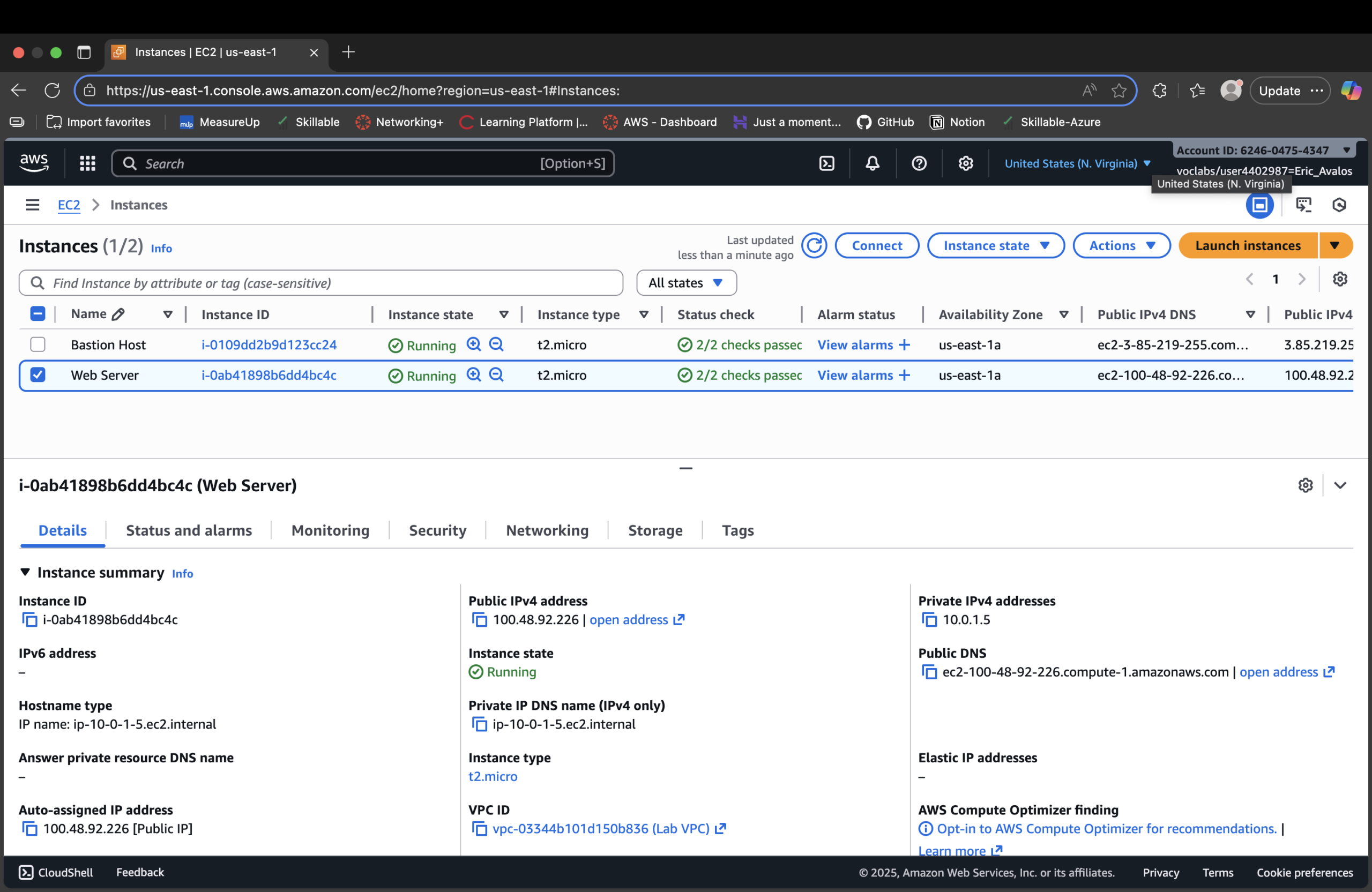
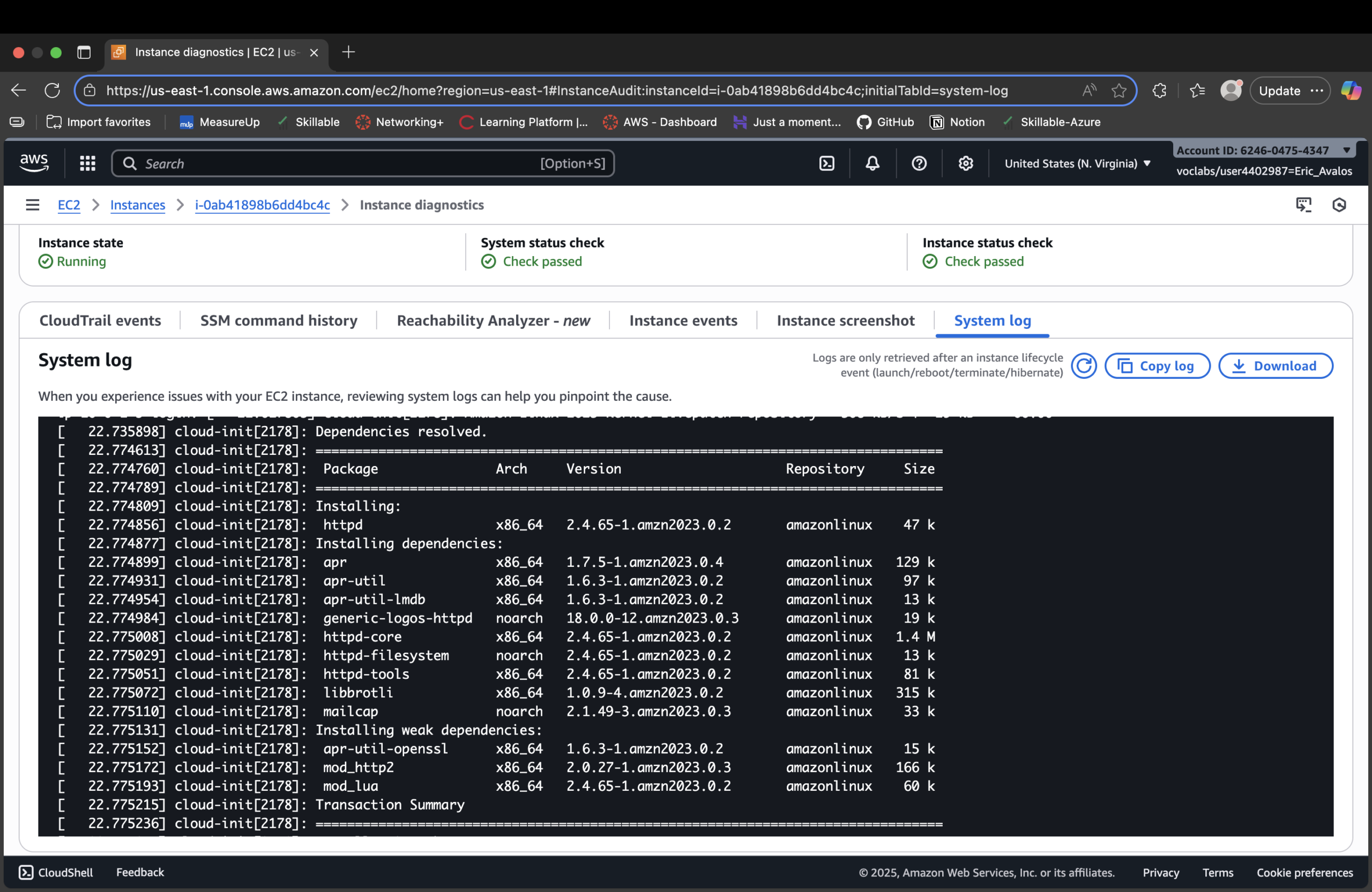
httpd) installed via user-data script during boot.
Result
- Launched an EC2 web server into a controlled Lab VPC public subnet.
- Bootstrapped the instance via user data into a working HTTP endpoint.
- Used a dedicated security group to open only port 80 from the internet.
- Monitored instance health and validated configuration via logs and checks.
- Resized compute and storage safely as requirements changed.
- Enabled and tested stop/termination protection to prevent accidental disruption.
Why This Makes Me Valuable
Most people treat EC2 as “just a VM.” I treat it as a Zero Trust endpoint: it lives inside
a defined network boundary, exposes a single controlled path in, and is protected against casual misuse
or accidental destruction.